Share chores with tasks
Make a to-do list for the household, assign tasks to people, set due dates, and repeat the chores that come back every week.
Takes about 2 minutes
Who's mowing the lawn this week? Tasks keeps the household's to-dos in one place, with who's doing what and when it's due.
Steps
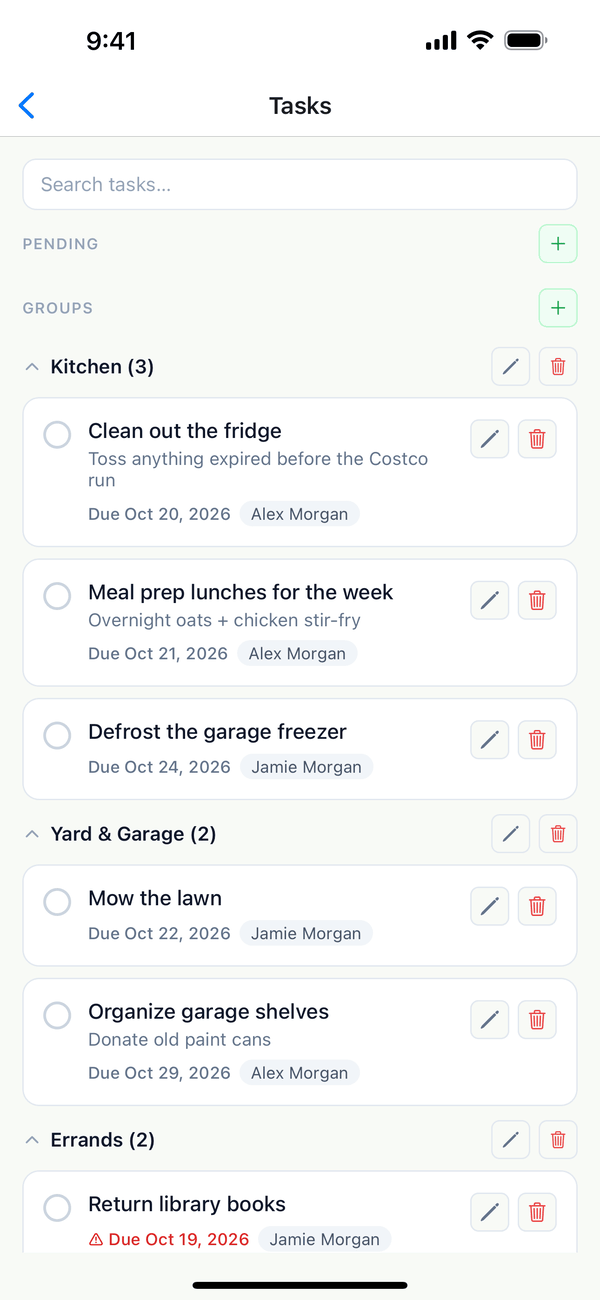
- Open Tasks. Tap the Account tab, then Tasks. Tasks are grouped, like Kitchen or Yard & Garage, and show who they're assigned to and when they're due.
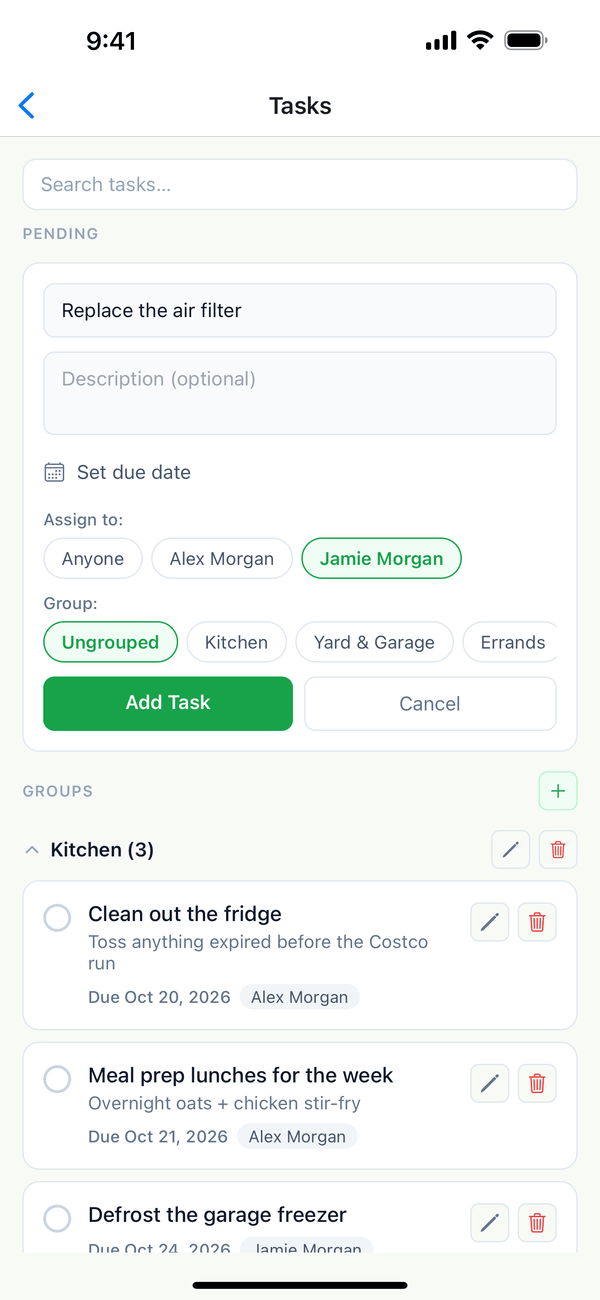
- Add a task. Tap + next to Pending. Type the Task title, add a description if you like, Set due date, pick who it's for under Assign to, and a Group. Tap Add Task.
- Check it off. Tap the circle next to a task when it's done. It moves to Completed.
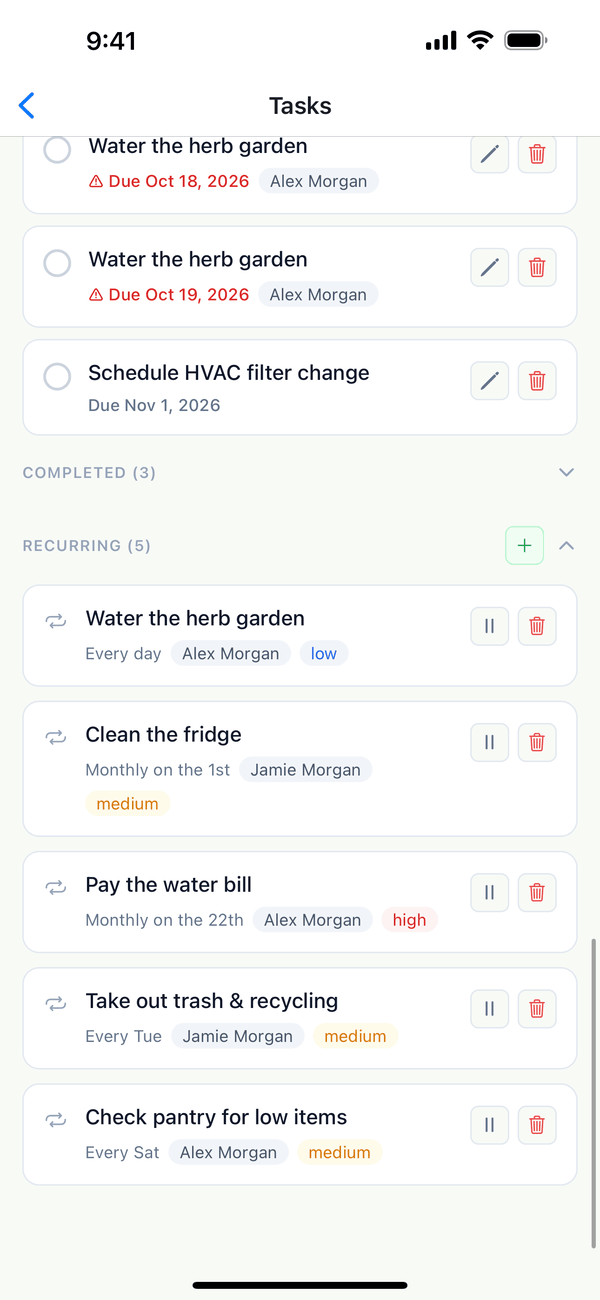
- Repeat chores automatically. Under Recurring, tap + and set how often it repeats (every day, a day of the week, or a day of the month) and a priority. Domesio adds the task again each time it comes up.
Tips
- Pencil and trash next to a task edit or delete it. The pause button stops a recurring task for now.
- Groups: tap + next to Groups to add one, like Home tasks or Later.
- Overdue tasks show their due date in red.
On the web
Tasks is in the menu at domesio.com.
← Back to all guides
Still stuck? Send us feedback