Track prices with the Price Book
See what you paid for things at each store over time, so you know where to buy and when a price is good.
Takes about 1 minute
Is $4.49 for eggs a good price? The Price Book remembers what you paid and where, so you don't have to.
Steps
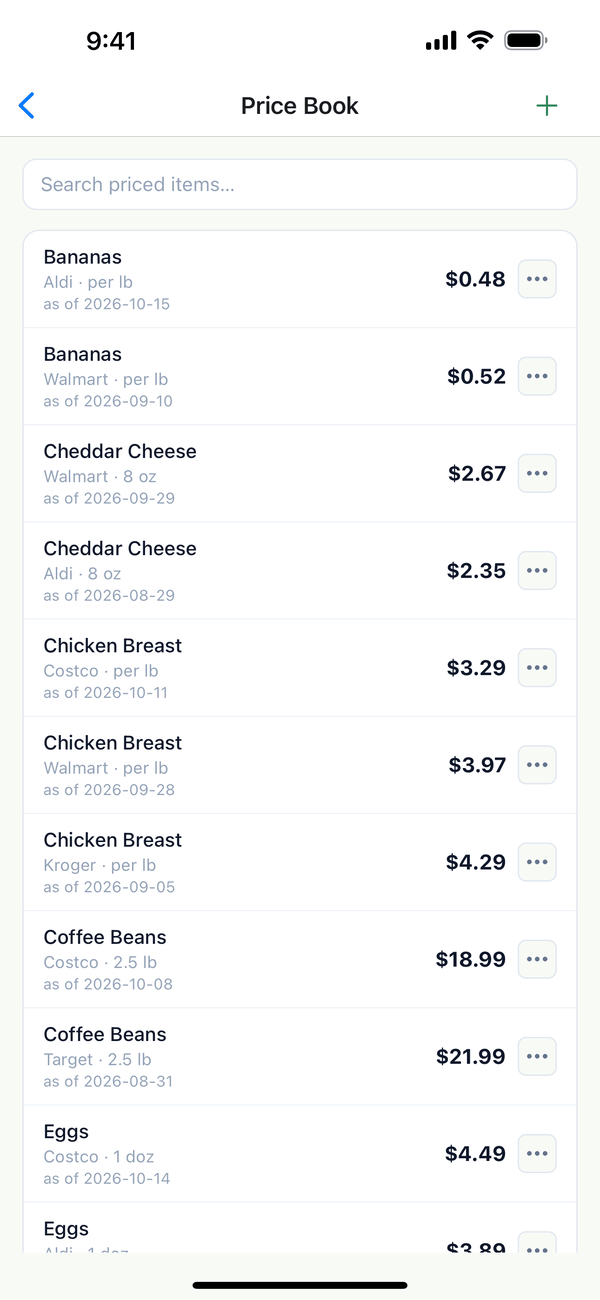
- Open the Price Book. Tap the Account tab, then Price Book. Each line is an item at one store, with its size, the date, and the price.
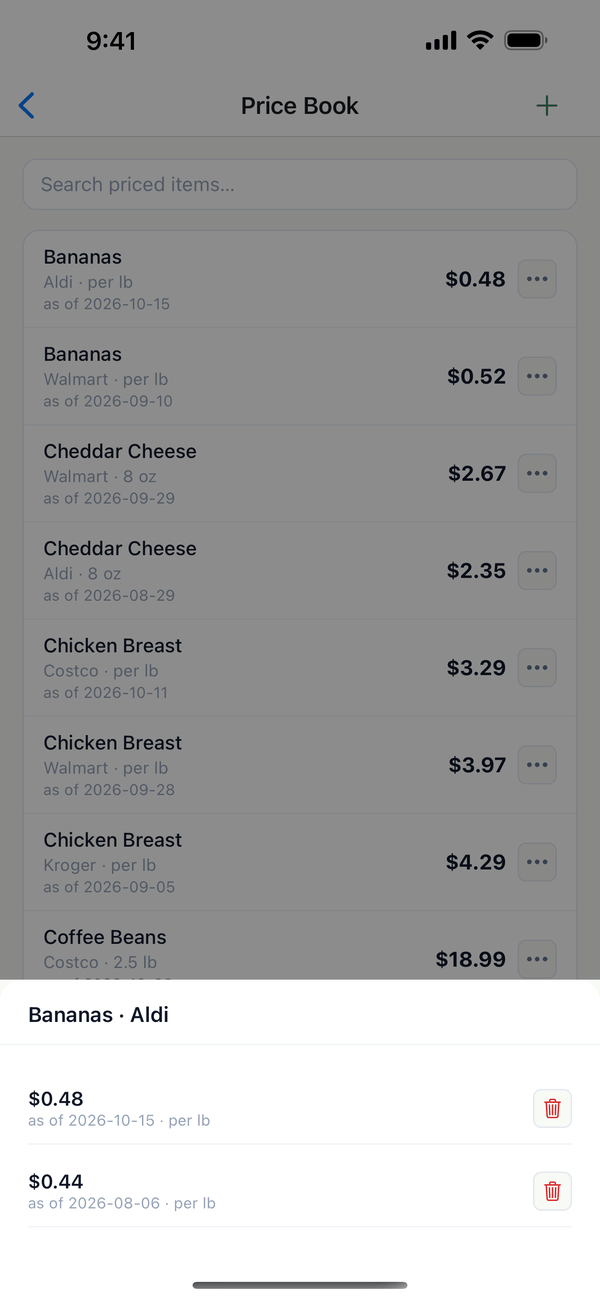
- See the history. Tap an item to see every price you've recorded for it at that store.
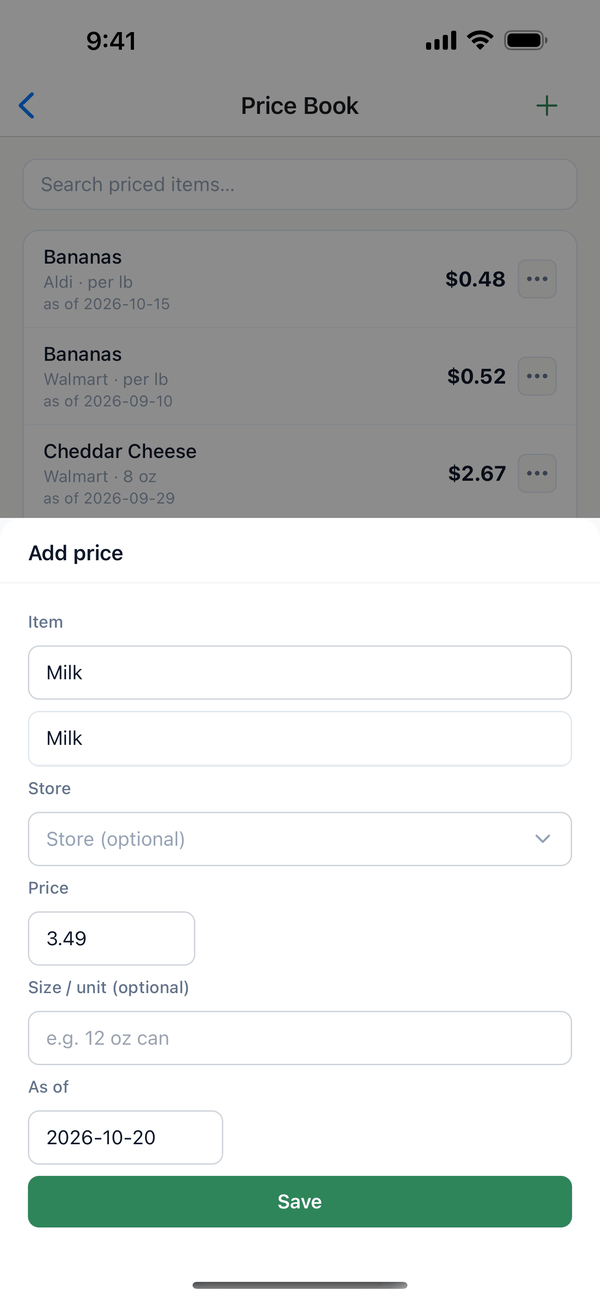
- Add a price. Tap + for Add price. Type the Item (Domesio suggests items you've priced before), pick a Store, and enter the Price, the Size / unit, and the As of date. Tap Save.
Tips
- Prices come in other ways too: the price button on a shopping list item, and scanning a receipt.
- Price arrows on the shopping list show when an item costs more or less than last time.
- Prices feed your budget. Tapping Bought uses the latest price for the monthly grocery budget.
- The ⋯ on a line has Edit and Delete.
← Back to all guides
Still stuck? Send us feedback