Split expenses with your household
Log who paid for what, split it evenly or by amounts, and see who owes whom, even with people outside your household.
Takes about 2 minutes
Roommates, partners, a team snack rotation: when people share costs, someone has to keep track. Split Expenses does the math.
Steps
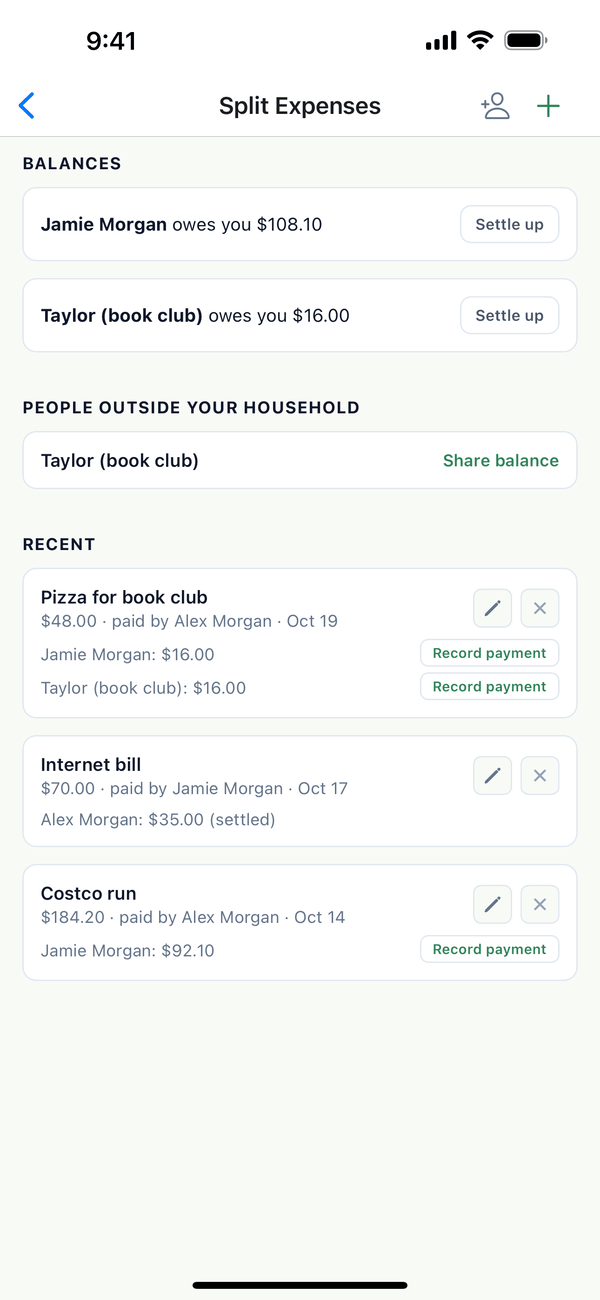
- Open Split Expenses. Tap the Account tab, then Finance, then the people button at the top. You see Balances, People Outside Your Household, and Recent expenses.
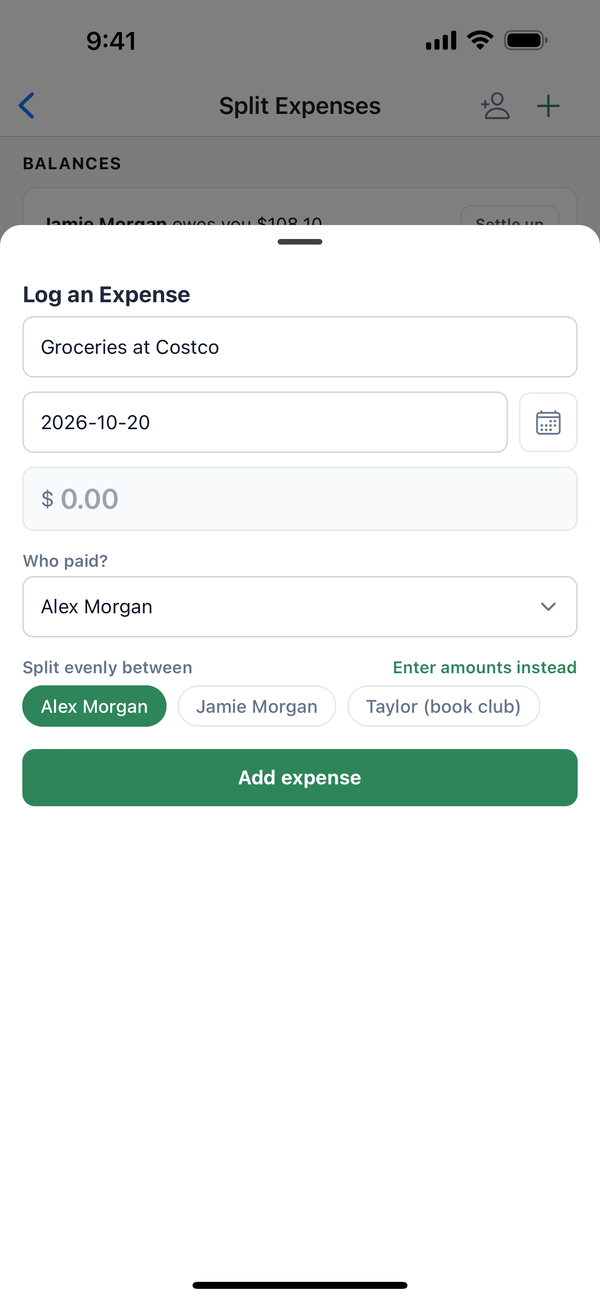
- Log an expense. Tap +. Type what it was for, the date, and the amount, choose Who paid?, and pick who it's split between. Tap Enter amounts instead if it isn't even. Tap Add expense.
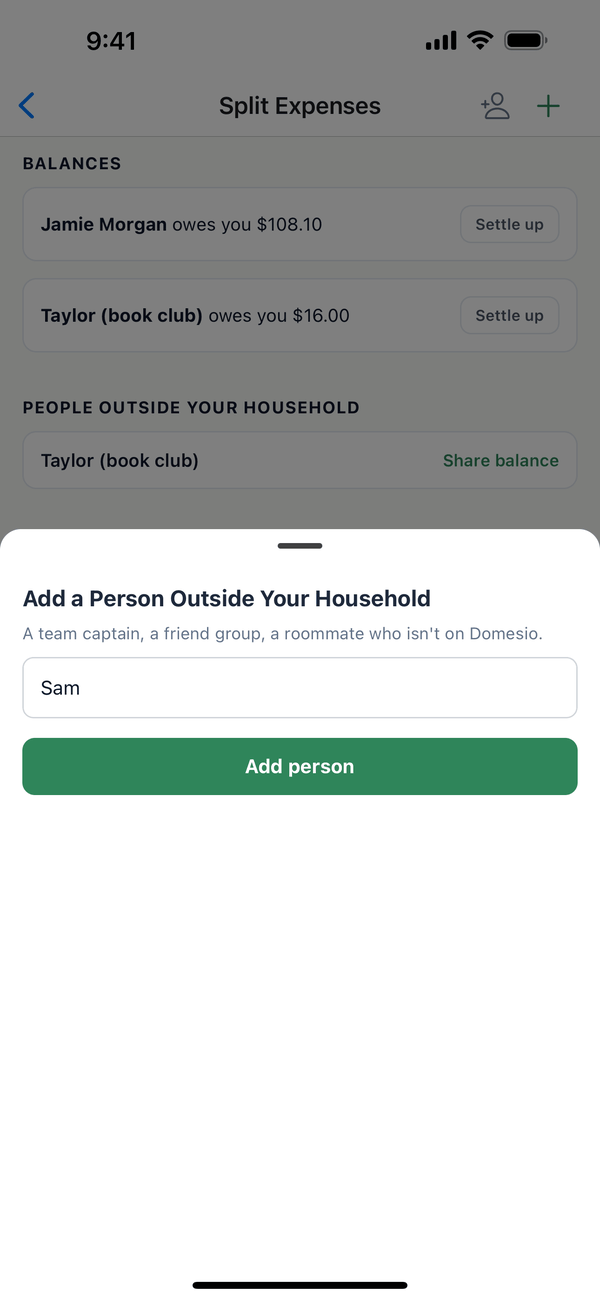
- Add someone outside your household. Tap the person button at the top, type a name, and tap Add person.
- Settle up. Under Balances, tap Settle up and Record payment when someone pays back.
Tips
- Share a balance with a person outside your household: Share balance makes a link they can open without signing in (read-only). Turn off sharing stops it.
- Once a payment is recorded against an expense, its amount and who's involved can't be changed.
- Watching the grocery bill? See the budgets guide.
On the web
Open Finance at domesio.com and tap Split expenses.
← Back to all guides
Still stuck? Send us feedback