Make your first inventory in Domesio
Create an inventory for one part of your home, like the pantry or the garage, and pick the type that fits what you keep there.
Takes about 1 minute
An inventory is one list of things you keep in one part of your home. Most people start with the pantry, then add the fridge, the garage, or the bathroom closet.
Steps
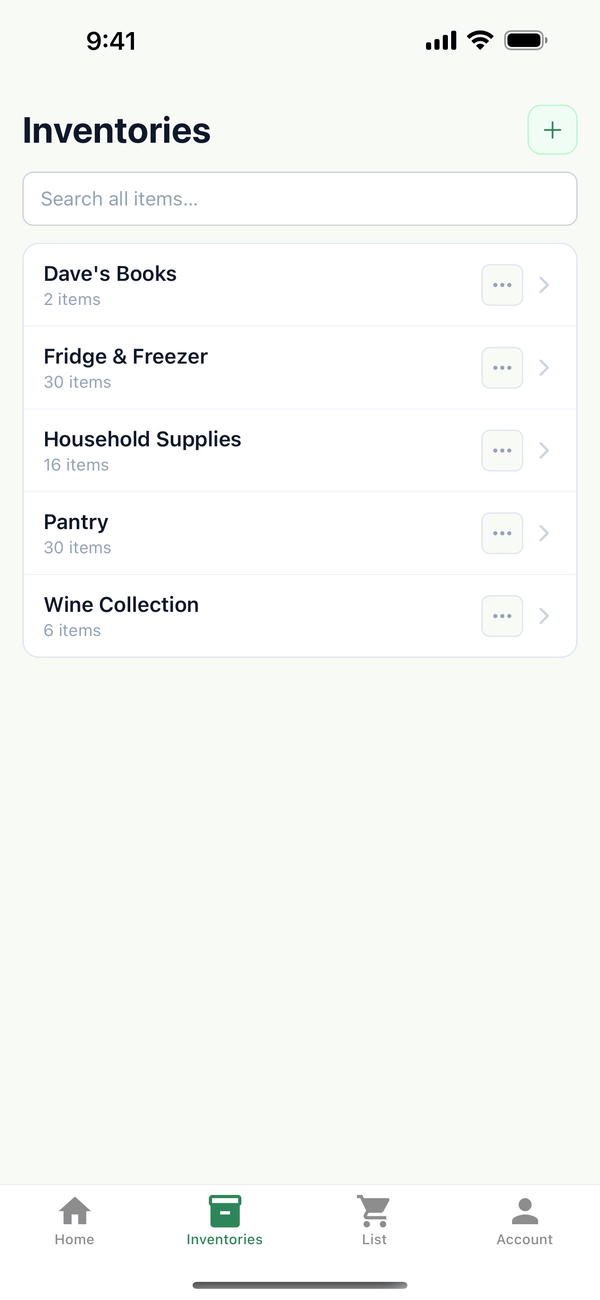
- Open Inventories. Tap the Inventories tab at the bottom, then tap the green + button next to the title.
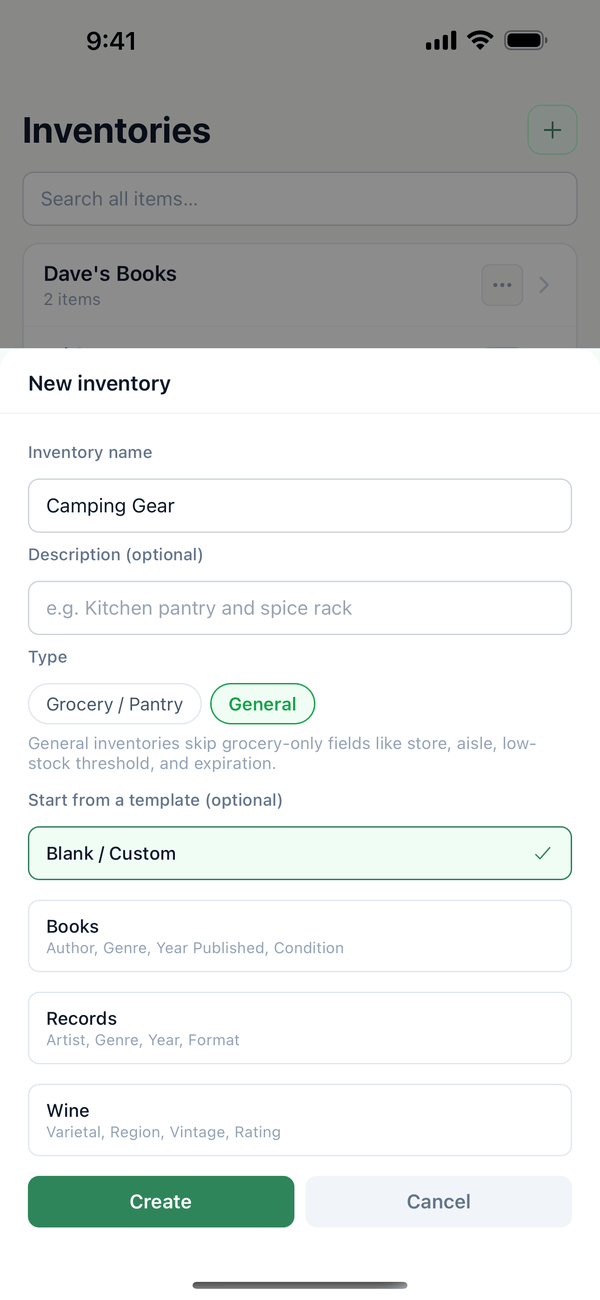
- Name it and pick a type. Type a name, like Pantry or Camping Gear. Under Type, pick Grocery / Pantry for food and household supplies, or General for everything else. A General inventory can start from a template, like Books, Records, or Wine, which adds fields such as Author or Vintage. The description is optional.
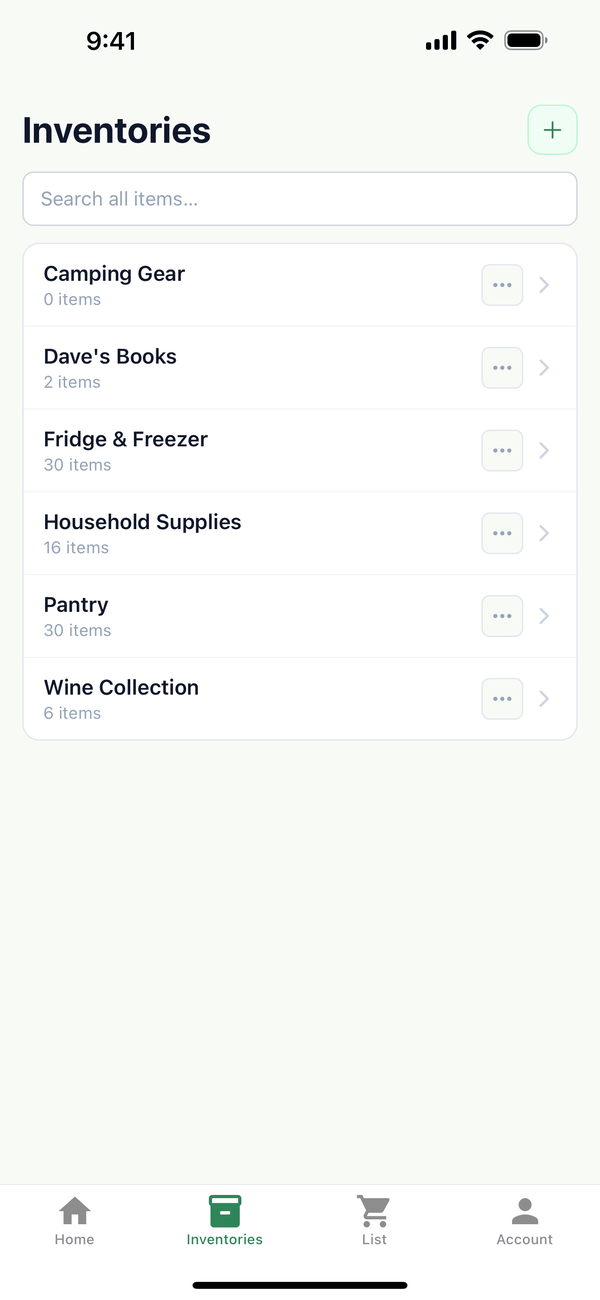
- Tap Create. Your new inventory shows up in the list.
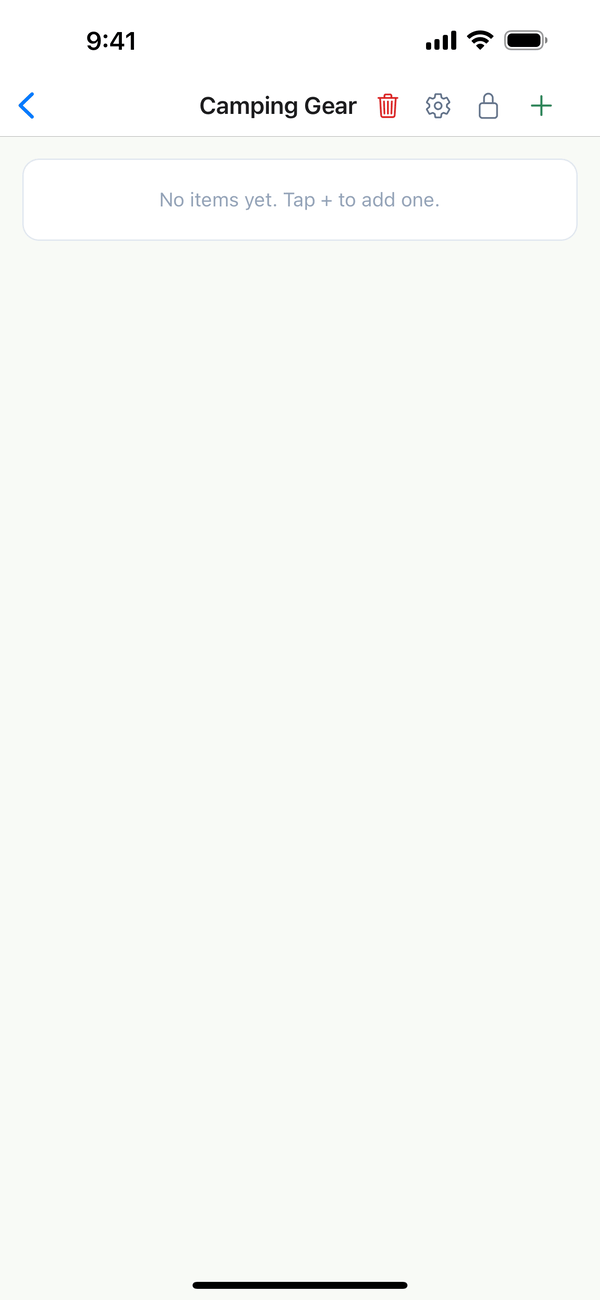
- Open it and add your first item. Tap the inventory. It starts empty, with "No items yet. Tap + to add one." Tap the + at the top right to add items.
Tips
- Grocery / Pantry or General? Grocery inventories have store, aisle, low-stock threshold, and expiration date fields. General inventories skip those, so they stay simple for things like tools or books.
- Change it later. Tap the ⋯ next to an inventory and choose Edit inventory to rename it or change its type. Move up and Move down change the order of the list.
- Deleting. Delete in the same menu only works on an empty inventory. To delete an inventory with everything in it, open it and tap the red trash button at the top.
- How many? The free plan includes up to 3 inventories. Premium has no limit and covers your whole household.
- Who can do this? Household owners and admins can create, edit, and delete inventories. Editors and viewers don't see the + button.
On Android
When you reach the free limit, Android also shows an Upgrade to Premium button under the message.
On the web
Go to Inventories at domesio.com. You get the same Grocery / Pantry and General types and the same templates.
← Back to all guides
Still stuck? Send us feedback