A quick tour of the Domesio app
What the Home, Inventories, List, and Account tabs do, and where to find everything else.
Takes about 2 minutes
Domesio has four tabs at the bottom of the screen. Here's what each one is for, so you always know where to tap.
Steps
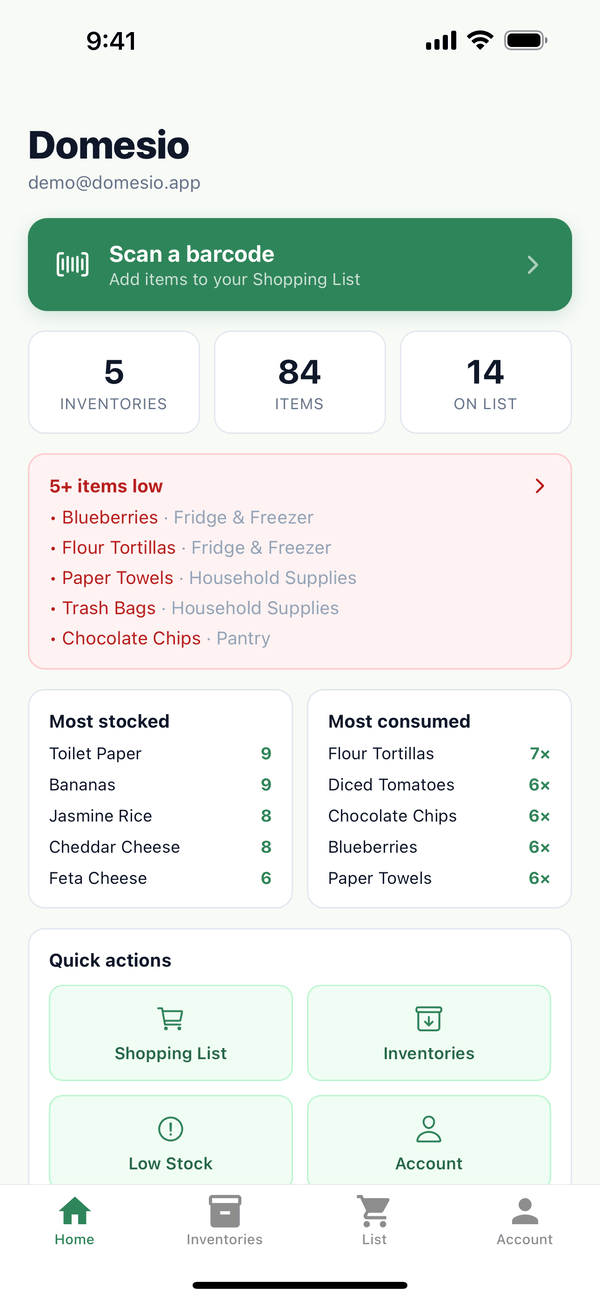
- Home. Your overview: Scan a barcode at the top, then how many inventories, items, and shopping list items you have, and a card with what's running low.
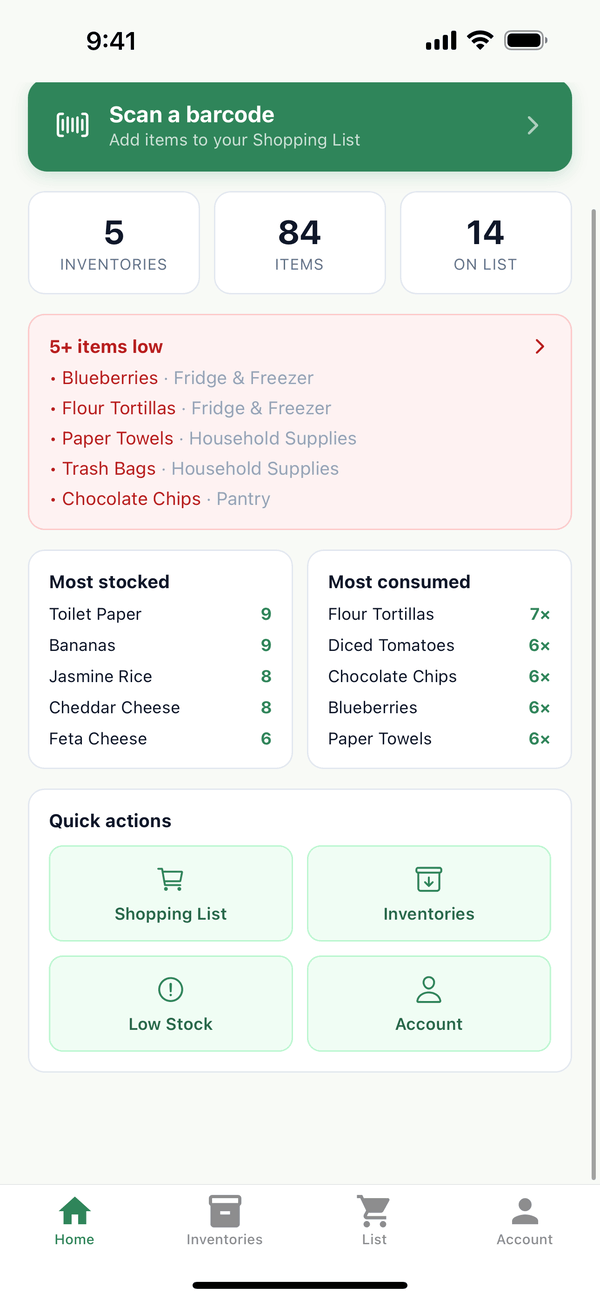
- More on Home. Scroll down for Most stocked and Most consumed, and Quick actions buttons for Shopping List, Inventories, Low Stock, and Account.
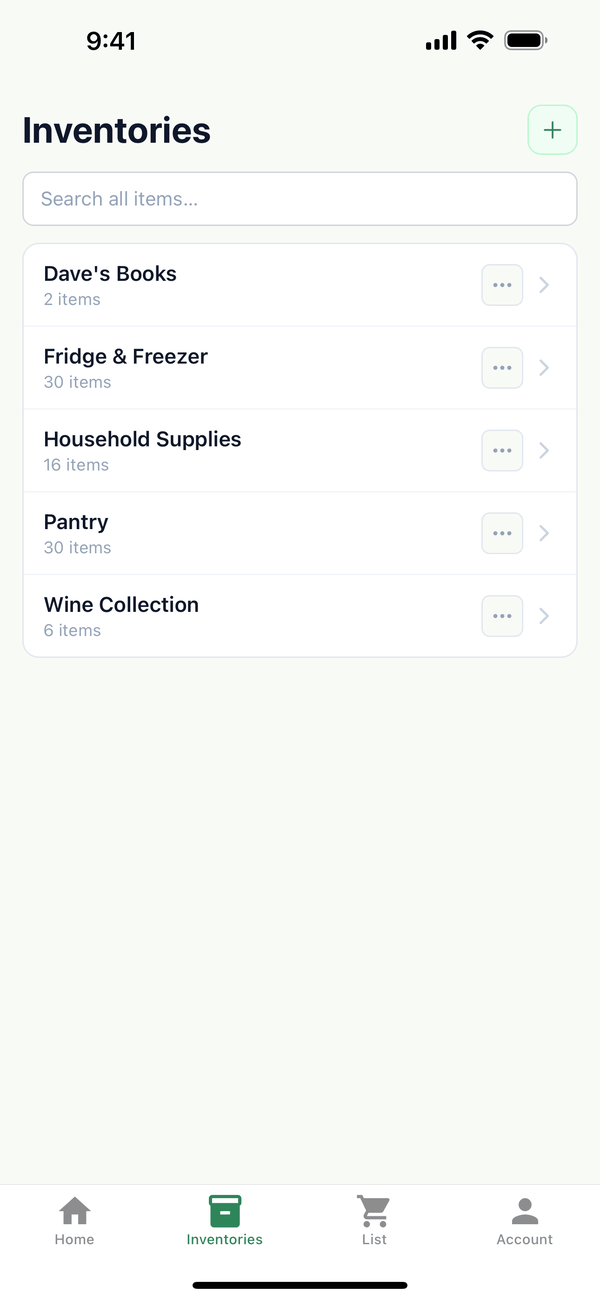
- Inventories. Every inventory in your household, like Pantry or Fridge & Freezer. Search all items… looks across all of them at once, and the green + makes a new one.
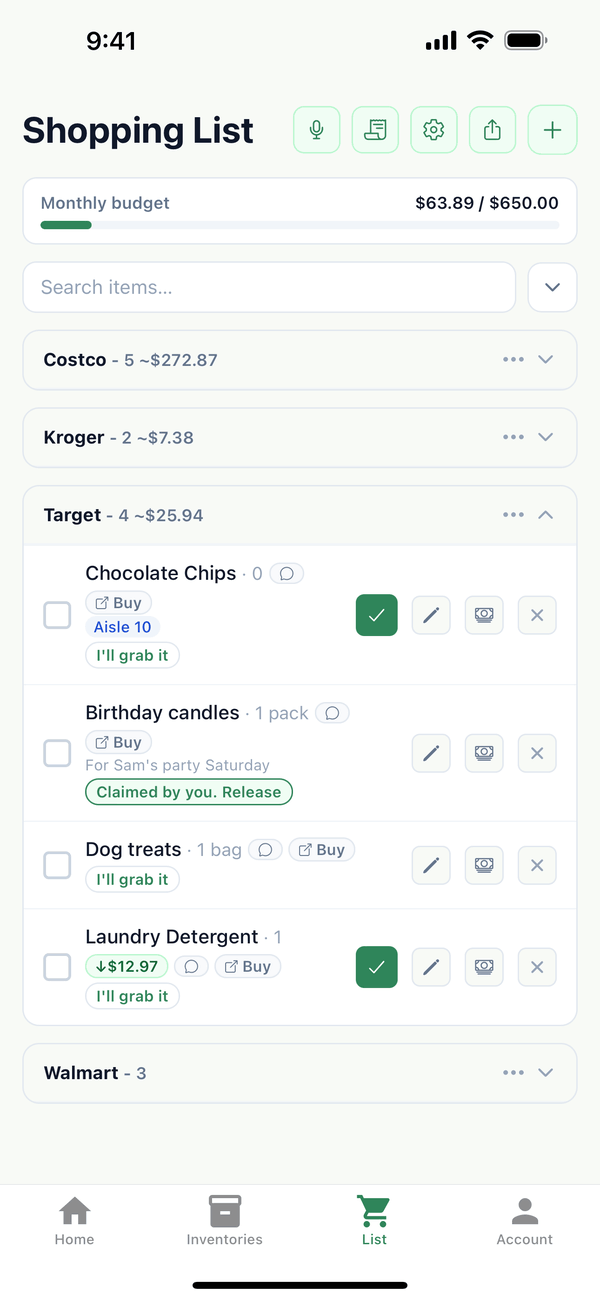
- List. The shopping list everyone in your household shares, grouped by store.
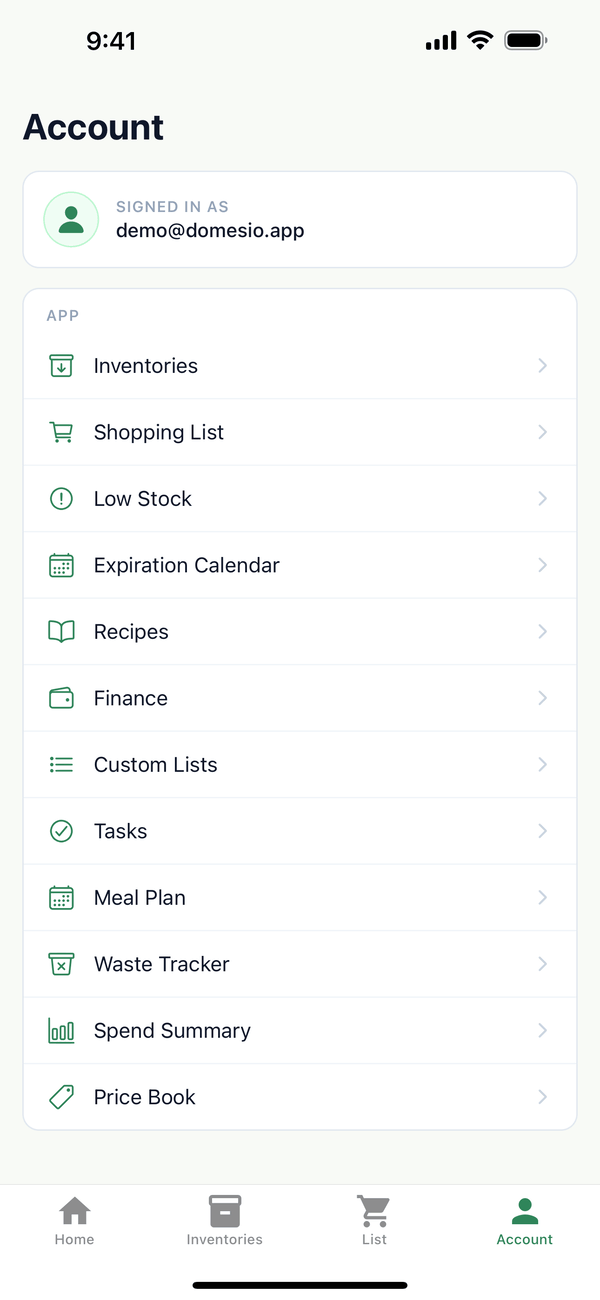
- Account. Shows who is signed in, and opens everything else: Low Stock, Expiration Calendar, Custom Lists, Household settings, Help, Send feedback, and more.
Tips
- Tap a Home card to go there. The items low card opens Low Stock.
- Pull down to refresh a list if someone else in your household just changed it.
- Help is under Account.
← Back to all guides
Still stuck? Send us feedback