Create your Domesio account and sign in
Make a free account with your email, or sign in with Apple on iPhone or Google on Android.
Takes about 1 minute
Domesio is free to use. One account works on your phone and on domesio.com, so your lists are the same everywhere.
Steps
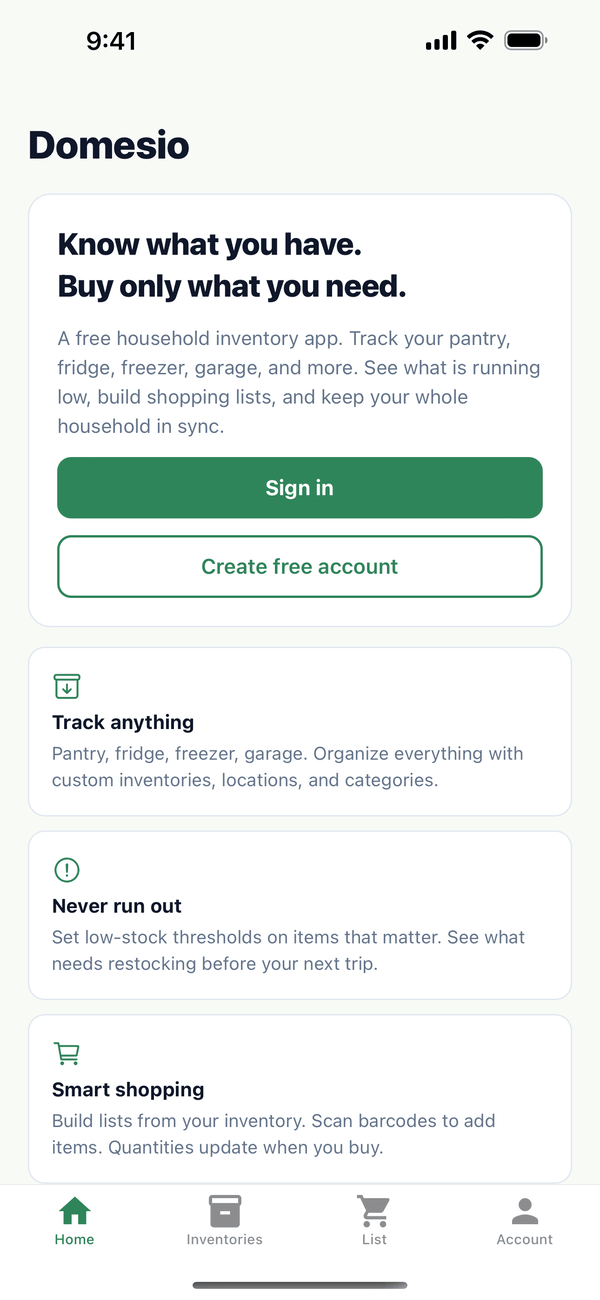
- Open the app. Before you sign in, the Home tab shows Sign in and Create free account.
- Create your account. Tap Create free account. Type your email and a password (at least 8 characters), then type the password again under Confirm password. Your name is optional. Tap Create account.
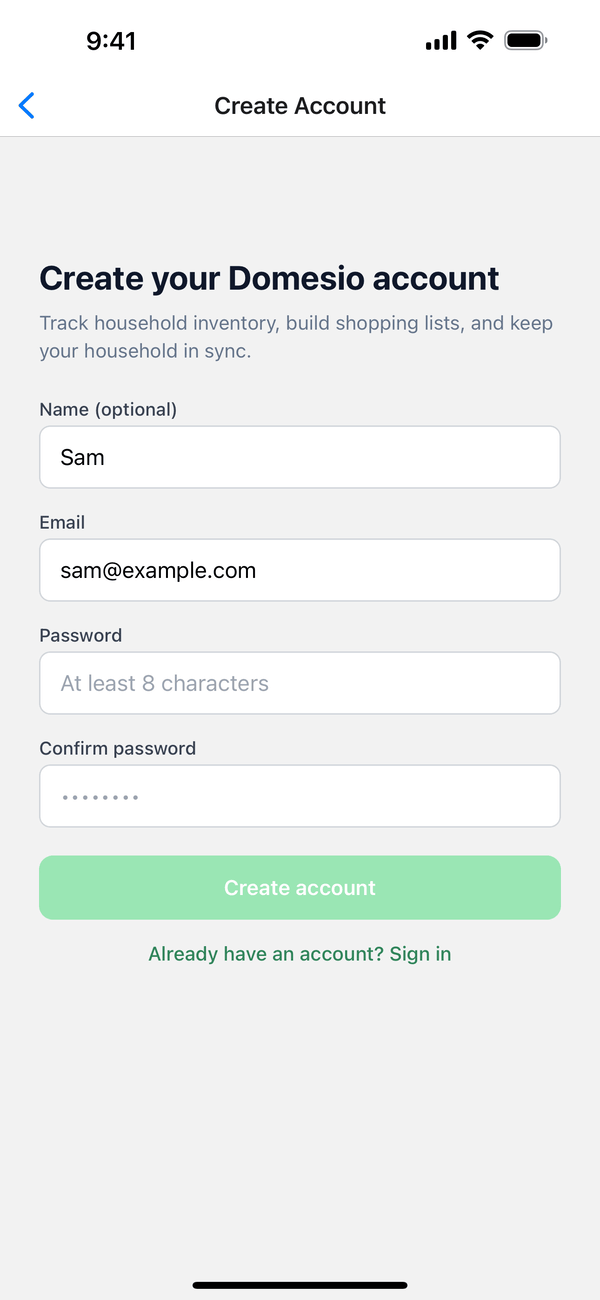
- Start right away. You're signed in as soon as the account is created. We also email you a link to confirm your address, so open that email when you get a chance.
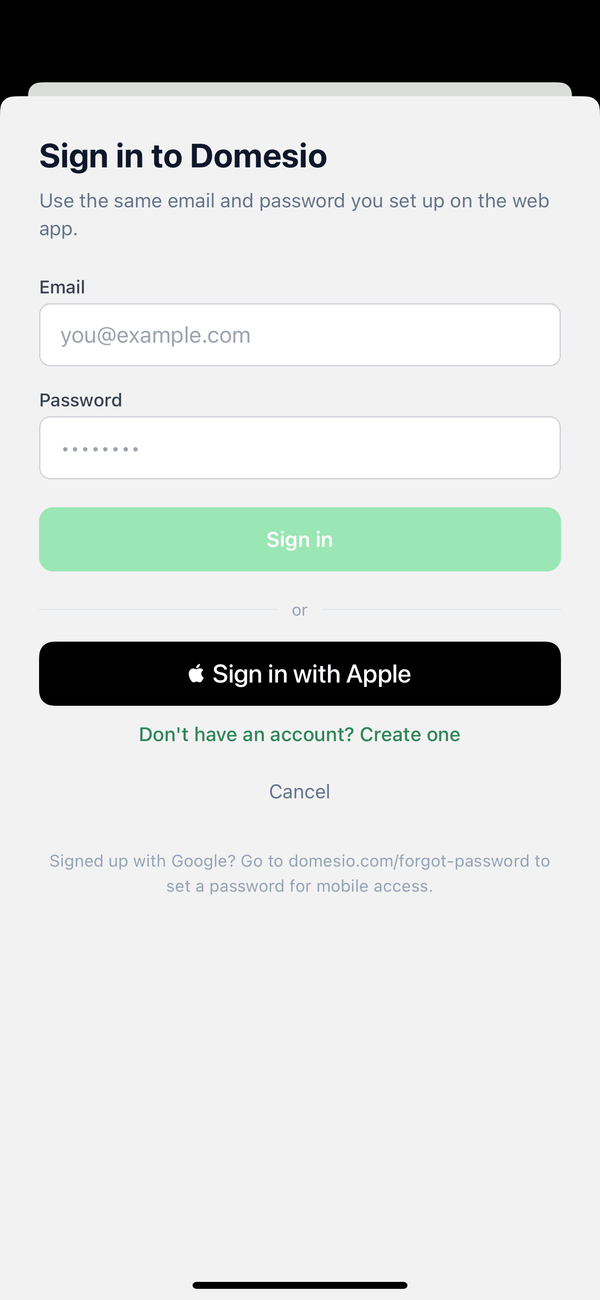
- Sign in next time. Tap Sign in, type your email and password, and tap Sign in. On iPhone you can tap Sign in with Apple instead.
Tips
- Already have an account? On the Create account screen, tap Already have an account? Sign in. On the Sign in screen, Don't have an account? Create one goes the other way.
- Signed up with Google on the website? To use email and password in the app, set a password first with Forgot password at domesio.com.
- Joining someone's household? Use the same email address the invite was sent to.
On Android
The Sign in screen has a Google button instead of Sign in with Apple.
On the web
Sign up at domesio.com with email and password, Google, or Apple. With email and password, confirm your address from the email before you sign in.
← Back to all guides
Still stuck? Send us feedback