Get recipe ideas from what you have
Not sure what to cook? Get a few recipes you can make with the food already in your pantry and fridge.
Takes about 2 minutes
It's 6 PM and the fridge is full, but nothing looks like dinner. Recipe ideas looks at the food in your inventories and suggests a few recipes you can make with it, starting with what needs to be used soon.
Steps
- Open Recipe ideas. Tap the Account tab, then Recipes, then the light bulb button at the top. The screen shows how many food items it will use, a few options, and Get ideas.
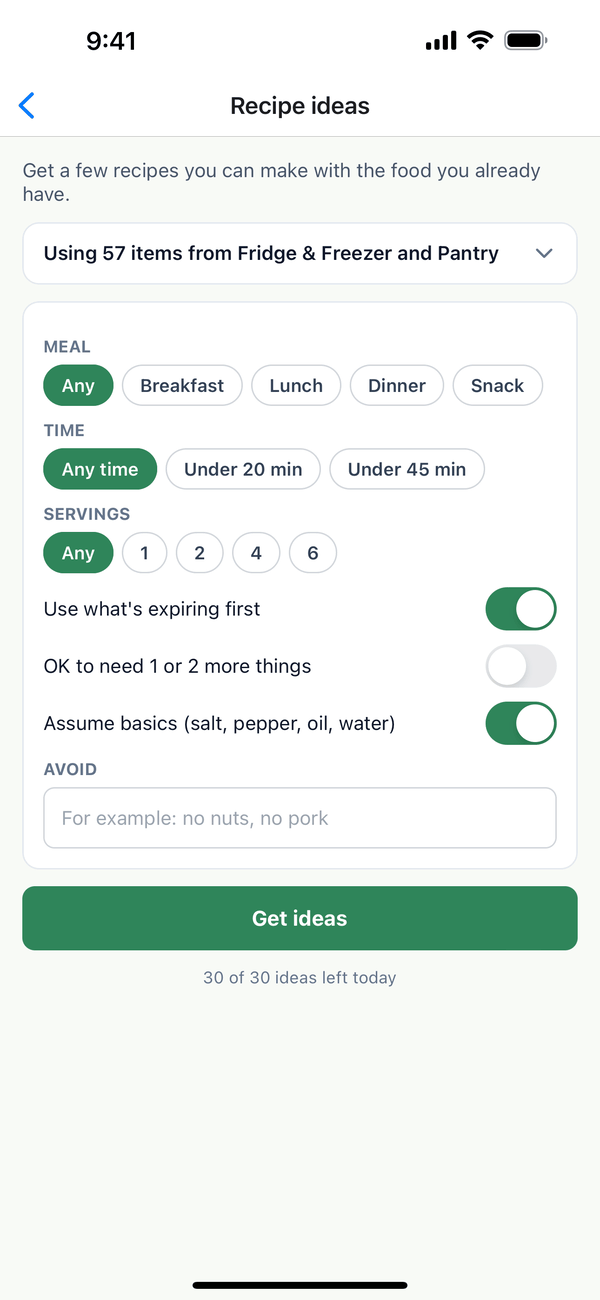
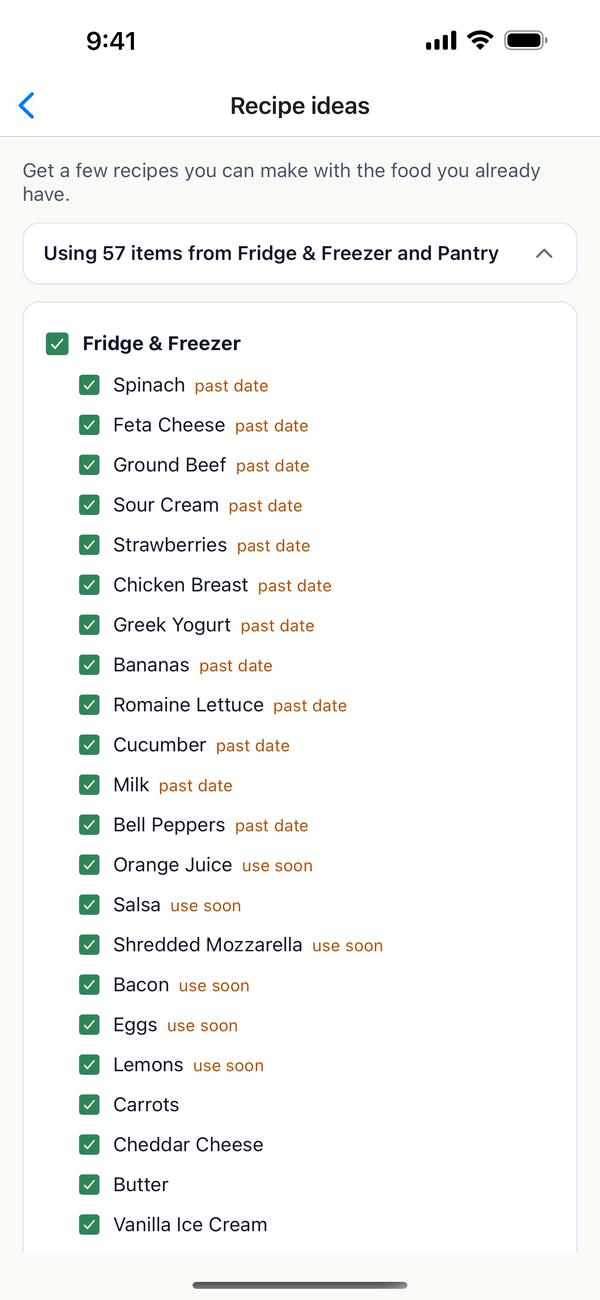
- Check the food it uses. Tap the line that says Using N items from... to see the food checklist, grouped by inventory. Items marked use soon or past date are near or past their expiration date. Uncheck anything you don't want to cook with, or a whole inventory at once. Your choices are remembered next time.
- Pick your options. Choose a Meal, a Time, and Servings, or leave them on Any. Use what's expiring first puts food that's close to its date first. Turn on OK to need 1 or 2 more things if you're fine with a short shopping trip. Under Avoid, type anything to leave out, like "no nuts".
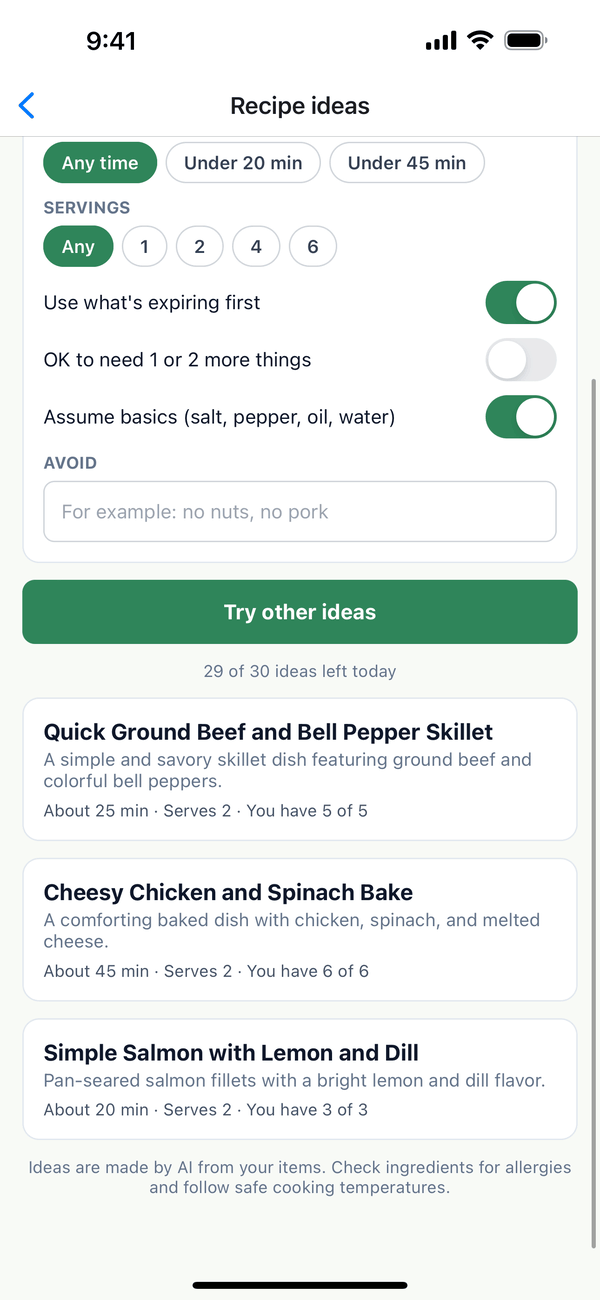
- Get ideas. Tap Get ideas. After a few seconds you get up to 3 ideas, each with its time, servings, and how many of the ingredients you have. Not quite right? Tap Try other ideas.
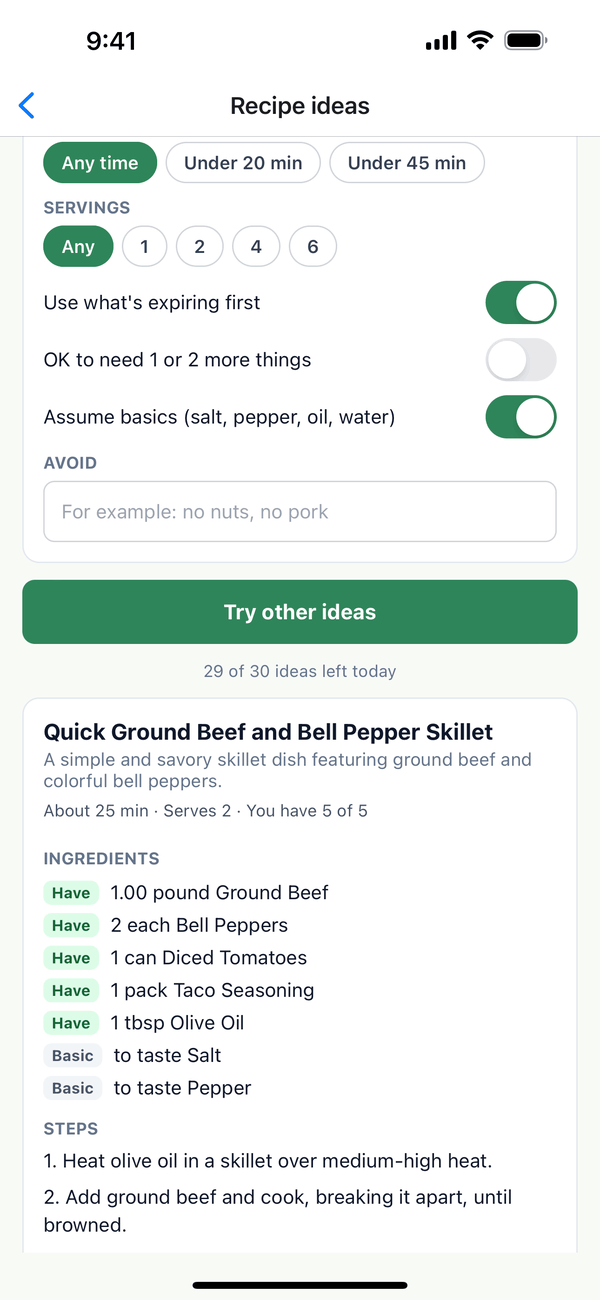
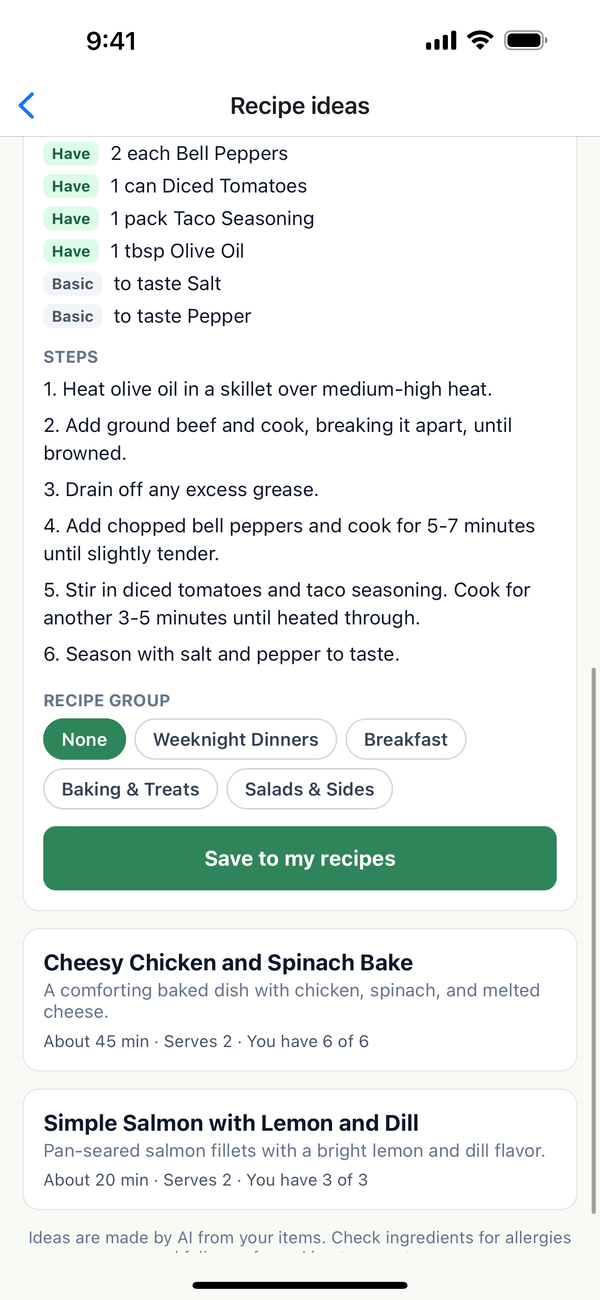
- Look at an idea. Tap an idea to see its ingredients and steps. Each ingredient is marked Have (it's in your inventory), Need (you don't have it), or Basic (salt, pepper, oil, or water, which it assumes you have).
- Save it or shop for it. Pick a Recipe group if you like, then tap Save to my recipes. The recipe opens in Recipes so you can change anything, and its ingredients stay linked to your inventory. If an idea needs something you don't have, Add missing to shopping list adds those items for you. Nothing is saved until you tap one of these.
Free tries and Premium
- The free plan includes 5 tries for your household. The line under the button says how many are left, like "4 of 5 free tries left". A try only counts when ideas come back.
- After the 5th try, tapping Get ideas shows Recipe ideas are part of Premium, with an Upgrade to Premium button that opens the Domesio Premium screen. Recipes you saved during your free tries stay yours.
- Premium gives 30 ideas a day to each person in the household. The line under the button says "N of 30 ideas left today". See the Premium guide.
Tips
- Need at least 5 food items. With fewer than 5 food items in your Pantry or Fridge and Freezer, the Get ideas button is greyed out and the screen says how many you have. Tap Add items to add more, or Create a pantry if you don't have one yet.
- Only food counts. Recipe ideas uses your food inventories and skips things like paper towels, cleaning supplies, and items that are out of stock.
- Check before you cook. Ideas are made by AI from your items. Check ingredients for allergies and follow safe cooking temperatures.
- Short on time? Pick Under 20 min under Time.
On the web
Coming soon. For now, Recipe ideas is in the iPhone and Android apps. Recipes you save show up in Recipes on the website too.
← Back to all guides
Still stuck? Send us feedback