Keep your recipes in Domesio
Save recipes with their ingredients, see what you already have, and send what's missing to the shopping list.
Takes about 2 minutes
A recipe book that knows what's in your pantry. Domesio links each ingredient to your inventory, so you can see what you need before you cook.
Steps
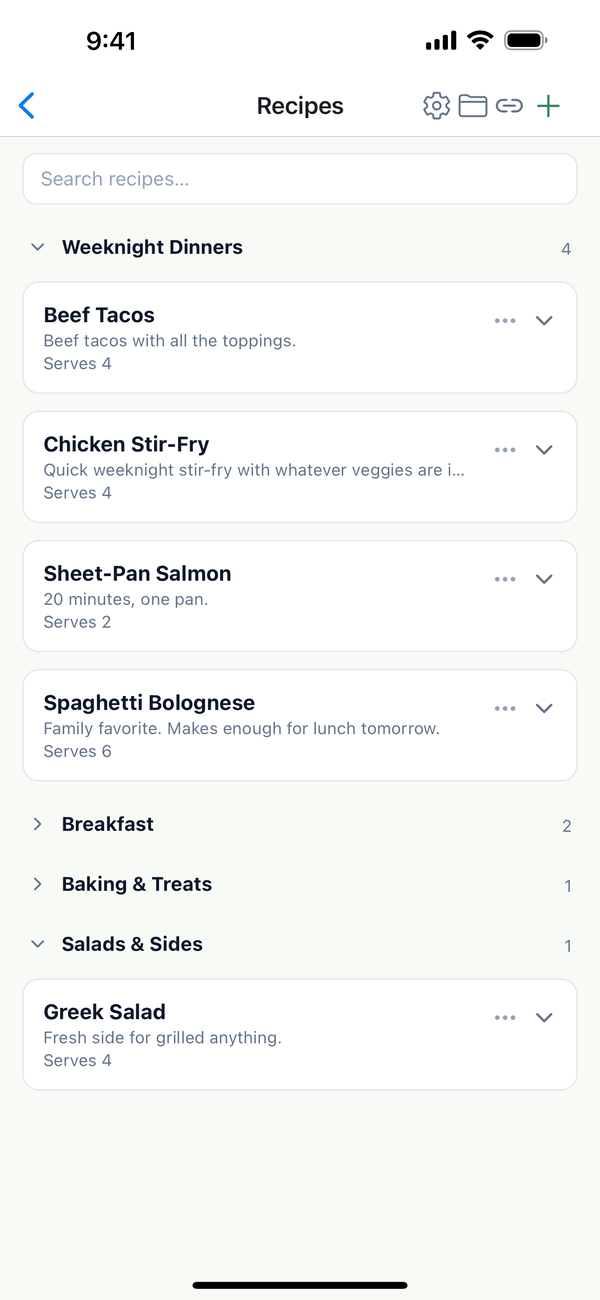
- Open Recipes. Tap the Account tab, then Recipes. Recipes are grouped, like Weeknight Dinners or Breakfast. Tap a group's name to fold it.
- Open a recipe. Tap it to see its Ingredients and Instructions. Each ingredient says whether it's Linked to inventory. Use the cart button on an ingredient to add it to the shopping list, or Add missing to list for everything you don't have.
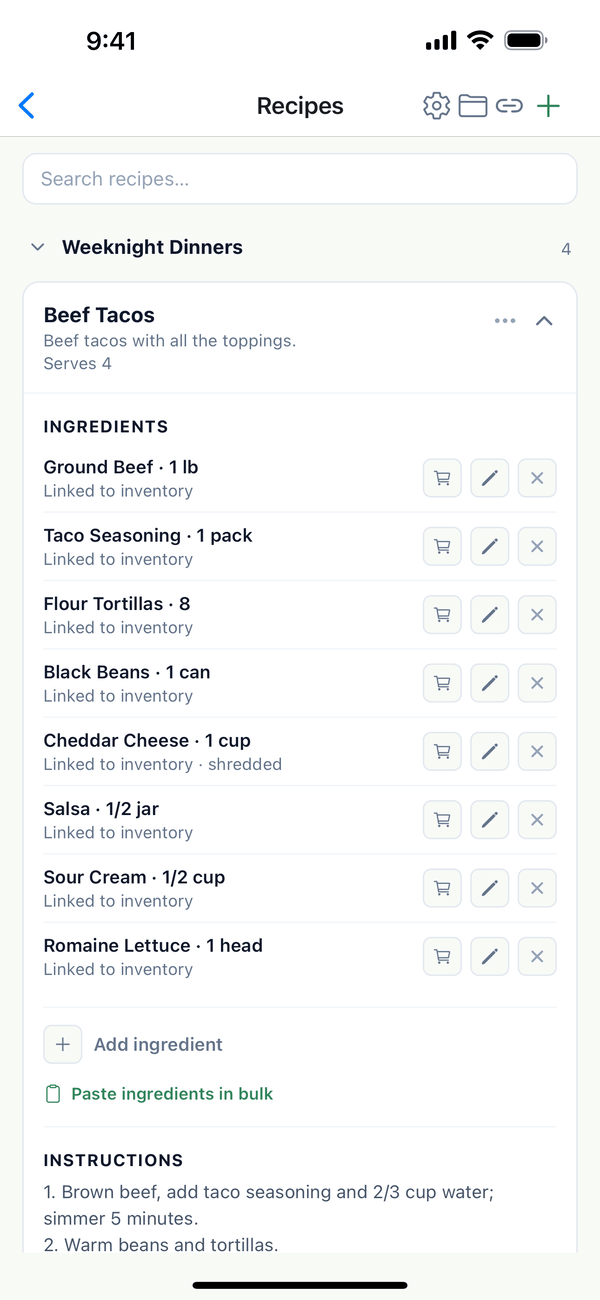
- Add a recipe. Tap + at the top for New Recipe, and fill in the name, servings, ingredients, and instructions. Paste ingredients in bulk takes one ingredient per line, quantity first.
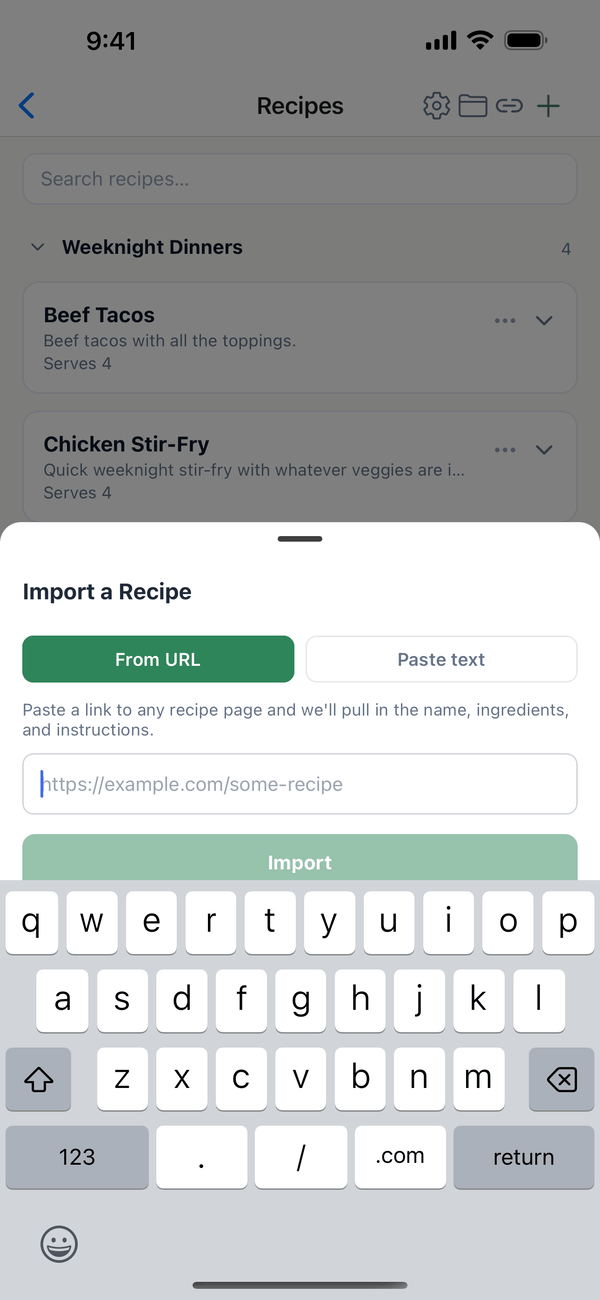
- Or import one. Tap the link button at the top for Import a Recipe. From URL pulls the name, ingredients, and instructions from a recipe page. Paste text works with a recipe copied from anywhere.
Tips
- The ⋯ on a recipe has Edit recipe, Change group, Move up and Move down, and Delete recipe.
- The folder button at the top manages your Recipe Groups.
- Plan the week with your recipes in the meal plan. See the meal plan guide.
On the web
Recipes is under Meals in the menu at domesio.com.
← Back to all guides
Still stuck? Send us feedback