Choose which notifications you get
Get one daily summary or separate alerts, turn each push and email on or off, and set quiet hours.
Takes about 2 minutes
Domesio can tell you when food runs low, when something is about to expire, when a task is due, and more. You decide which of these you want, and how: as a push on your phone, an email, or not at all.
Steps
- Open Notifications. Tap the Account tab, then Notifications. Everything Domesio sends is listed in groups: Daily summary, Kitchen, Shopping, Household, Money, and From Domesio.
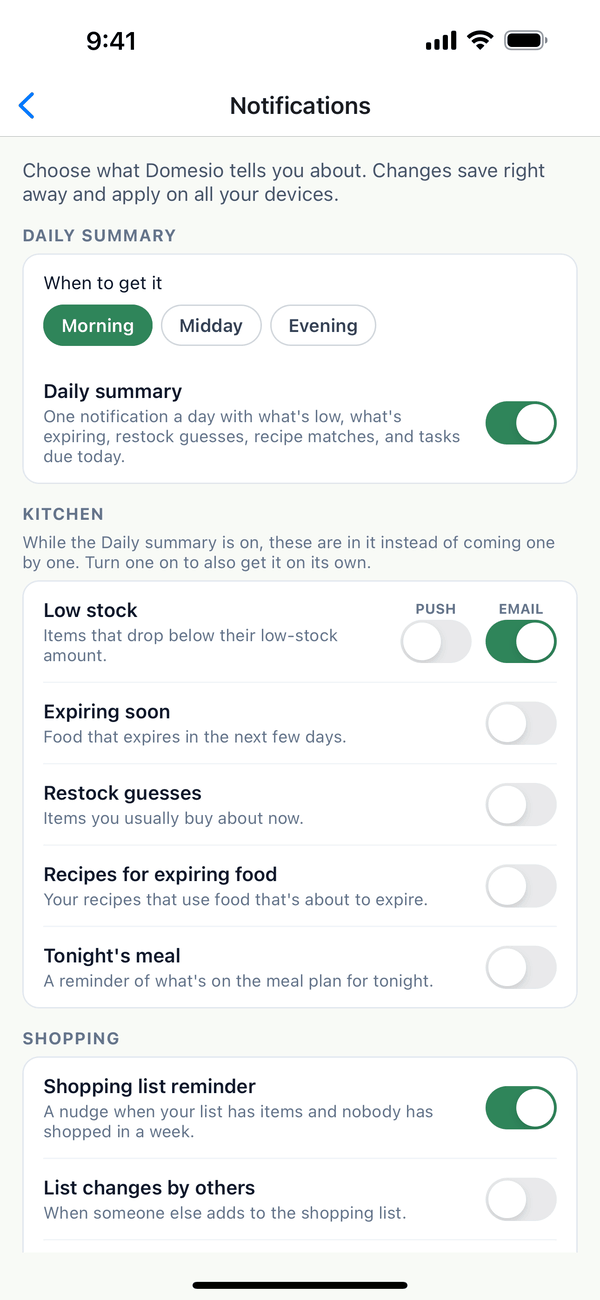
- Pick your Daily summary time. The Daily summary is one notification a day with what's running low, what's expiring, restock guesses, recipes for food that's about to expire, and your tasks due today. Choose Morning, Midday, or Evening. While it's on, the Kitchen alerts are included in it instead of coming one by one. Turn a Kitchen alert on if you also want it on its own.
- Turn things on or off. Each notification has a switch. Some, like Low stock, can come as a Push and as an Email, with a switch for each. Changes save right away and apply on all your devices. Some are off until you turn them on: List changes by others, Weekly spending recap, News and tips, and New blog posts (a weekly email).
- Set up bill reminders. Under Money, turn on Bill reminders, then choose Remind me 1, 2, or 3 days before a bill is due, and whether the notification shows the amount.
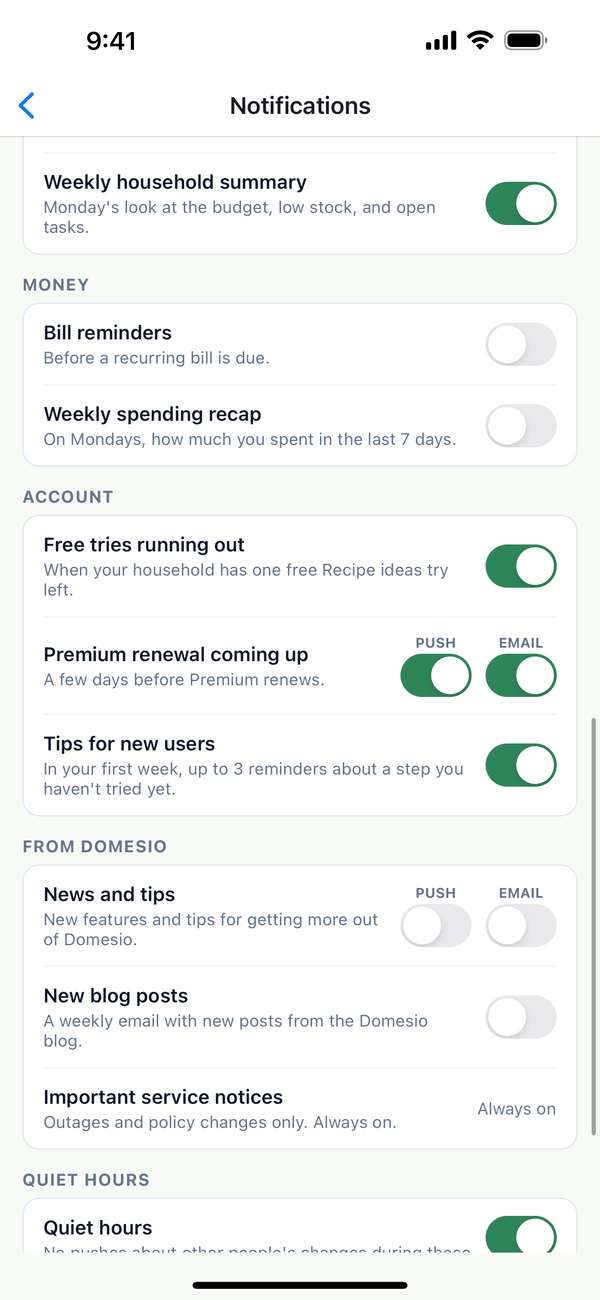
- Set quiet hours. Quiet hours (10 pm to 7 am to start) keep pushes about other people's changes from waking you up. Use minus and plus to change the times.
Tips
- Summary times are approximate. Domesio sends summaries at a few set times each day and picks the one closest to your choice in your time zone.
- Nothing to report? If nothing is low, expiring, or due, there's no summary that day.
- News and tips is off unless you turn it on. Domesio only sends it to people who ask for it.
- New to Domesio? Tips for new users sends up to 3 reminders in your first week, only about a step you haven't tried yet, and never on a day you've already opened the app.
- Every email has an unsubscribe link at the bottom. It turns off that kind of email right away, no sign-in needed.
- Shopping with others? Item claimed tells you when someone taps I'll grab it, and List finished tells you when everything is bought. List changes by others is at most one push every 30 minutes.
- Some messages always come through: important service notices (outages and policy changes), and sign-in, password, and invite emails.
- In more than one household? Mute a household turns off notifications about that household only.
- No pushes at all? If notifications are turned off for Domesio in your phone's settings, the screen says so, with a link to open your phone's settings.
- Bill reminders moved. They used to be in Finance settings; they're here now with everything else.
On the web
Go to Account at domesio.com, then Notification settings. It's the same list, and changes apply to the app too.
← Back to all guides
Still stuck? Send us feedback