Send feedback or report a problem
Tell us what's working, what could be better, or what broke, right from the app.
Takes about 1 minute
Domesio is built by one person, so your feedback really shapes what comes next. If something is confusing or broken, or you have an idea, send it.
Steps
- Open Send feedback. Tap the Account tab, then Send feedback.
- Write your message. Type it under Your feedback. The screen shows the email address we'll reply to.
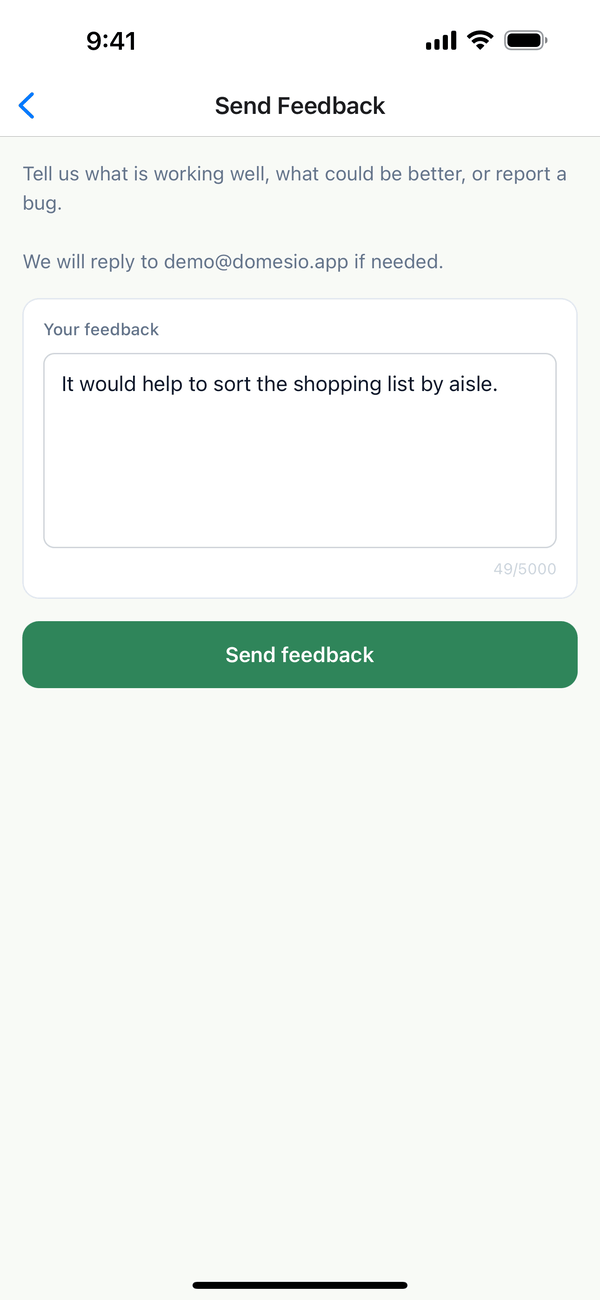
- Tap Send feedback. You'll see Feedback sent!. Tap Send another if you have more.
Tips
- Reporting a problem? Say what you tapped, what you expected, and what happened instead. Which screen and phone helps too.
- One idea per message makes it easier to track.
On the web
Use the Feedback page at domesio.com.
← Back to all guides
Still stuck? Send us feedback