Account settings: password, export, delete
Change your password, download a copy of your data, or delete your account.
Takes about 1 minute
Everything about your account itself lives in one place.
Steps
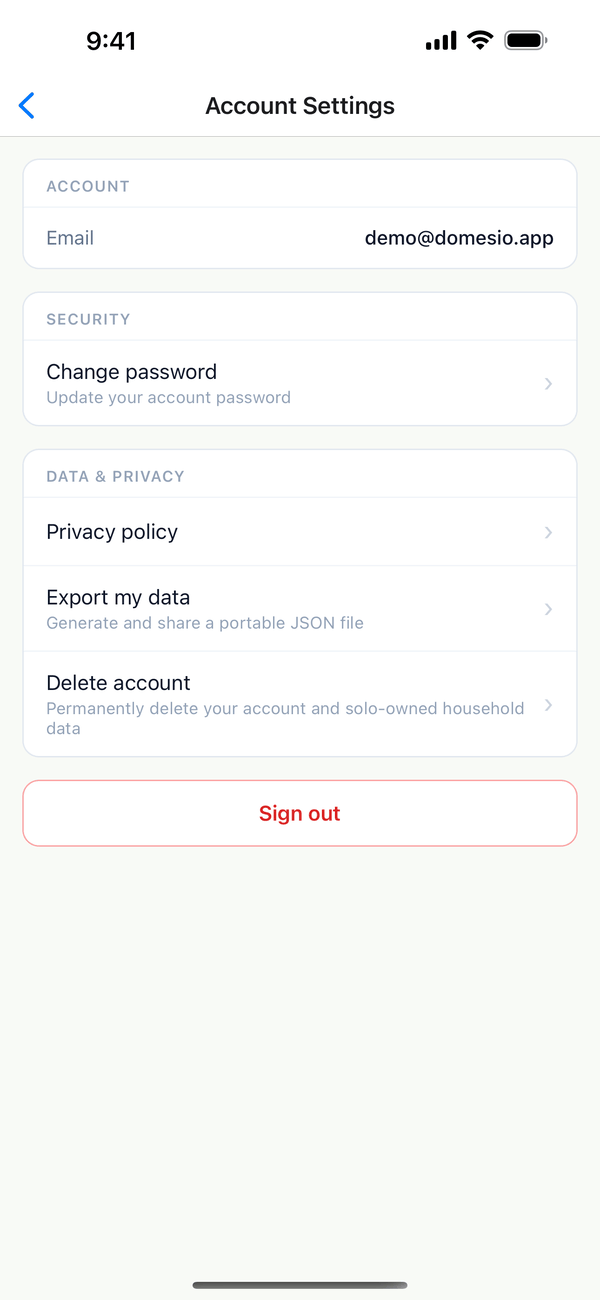
- Open Account Settings. Tap the Account tab, then Account settings & password. You see your email, Change password, Privacy policy, Export my data, and Delete account.
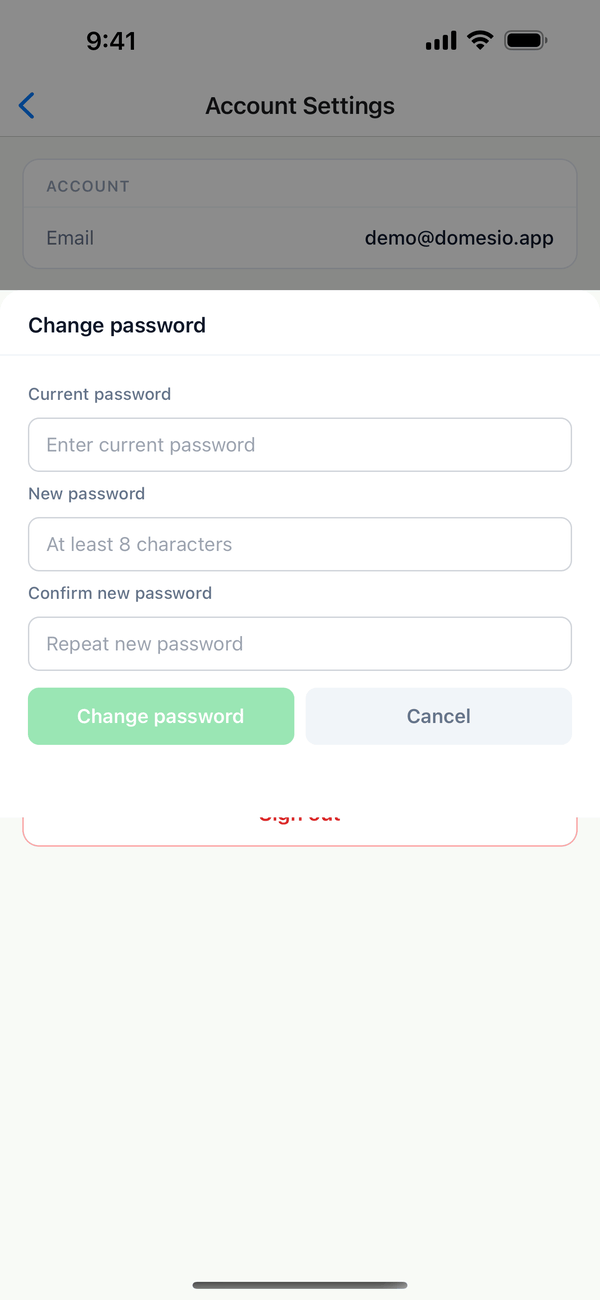
- Change your password. Tap Change password, type your Current password, then the new one twice (at least 8 characters), and tap Change password.
- Export your data. Tap Export my data. Domesio makes a file with your data and opens the share sheet so you can save or send it.
- Delete your account. Tap Delete account and follow the steps. This permanently deletes your account and any household data that only you own.
Tips
- Forgot your password? Use Forgot password on the sign-in page at domesio.com.
- Signed in with Apple? Your account has no Domesio password, so deleting it doesn't ask for one.
- Sharing a household? Data in a household that other people are still in stays for them.
On the web
The Account page at domesio.com has the same options.
← Back to all guides
Still stuck? Send us feedback