Add the shopping list widget on Android
See how many items are on your shopping list right on your Android home screen, and open the list with one tap.
Takes about 1 minute
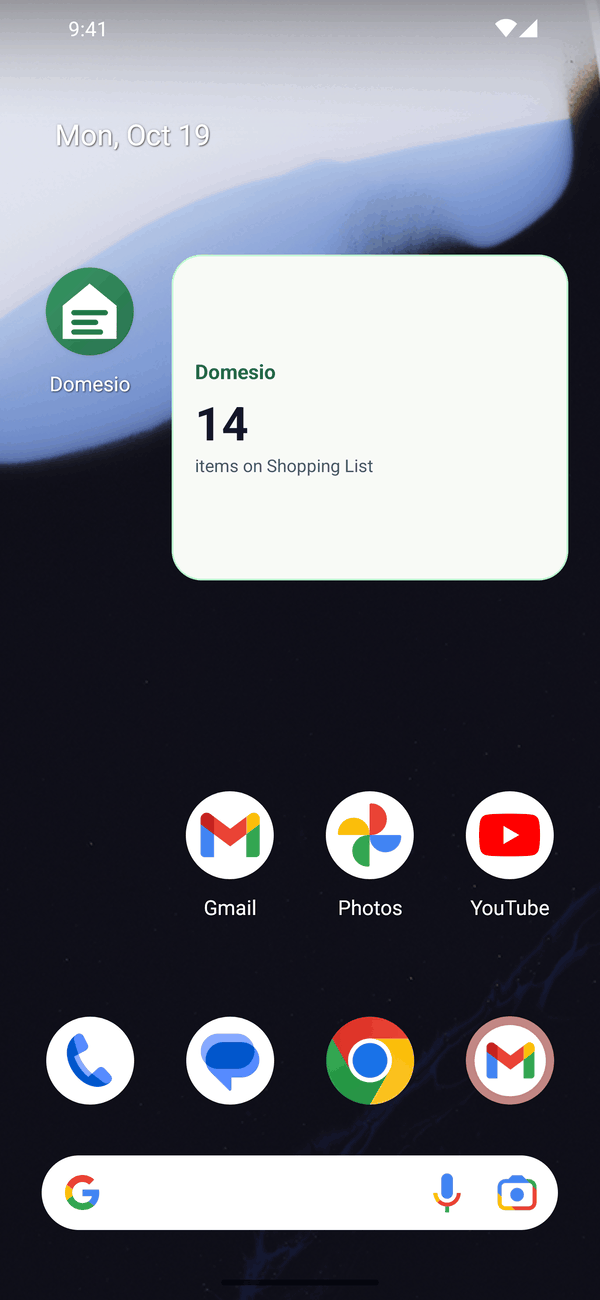
On Android, Domesio has a home screen widget that shows how many things are on your shopping list. It's an easy reminder before you head out.
Steps
- Open the widget list. Touch and hold an empty spot on your home screen, then tap Widgets.
- Find Domesio. Type Domesio in the search box. You'll see Domesio Shopping List.
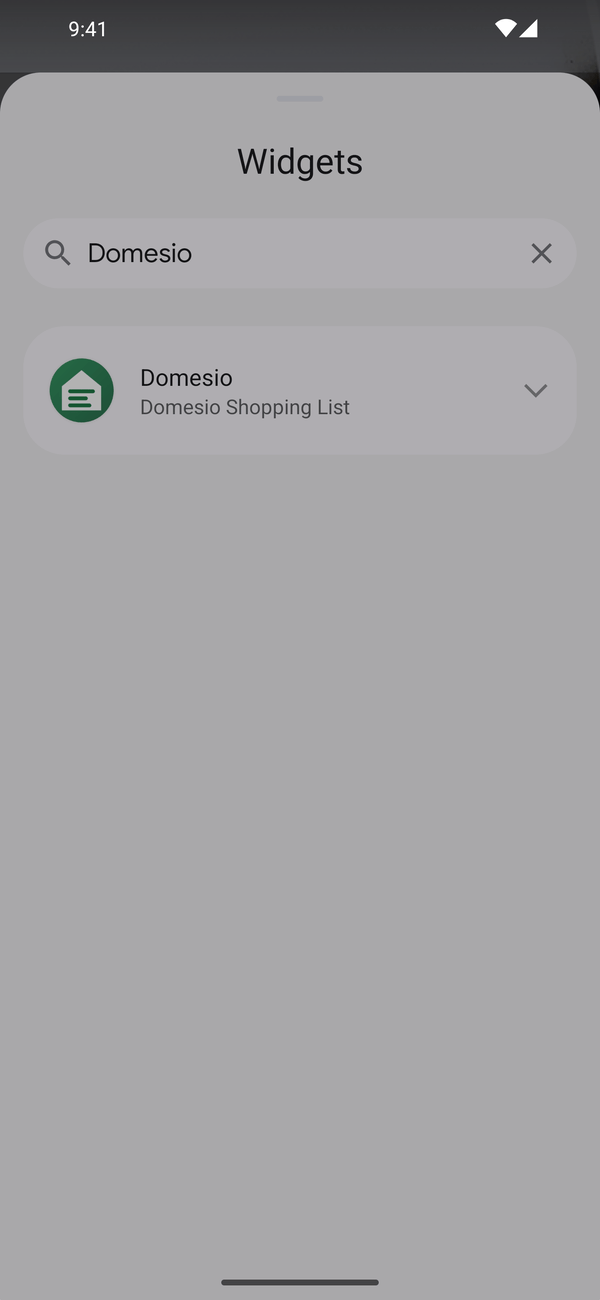
- Place it. Touch and hold the widget, drag it to your home screen, and let go.
- Use it. The widget shows how many items are on your shopping list. Tap it to open the list in Domesio.
Tips
- The number updates when you open the Home or List tab in Domesio.
- Resize it by touching and holding the widget, then dragging its edges.
- Steps can look a little different depending on your phone's brand and Android version.
- On iPhone, Domesio doesn't have a home screen widget.
← Back to all guides
Still stuck? Send us feedback