Share a custom list
Send a custom list to anyone as a message from your phone, or make a read-only link on the website.
Takes about 1 minute
People in your household already see your custom lists. To send one to someone else, like a friend packing for the same trip, share it.
Steps
- Open the list. Tap Account, then Custom Lists, then the list.
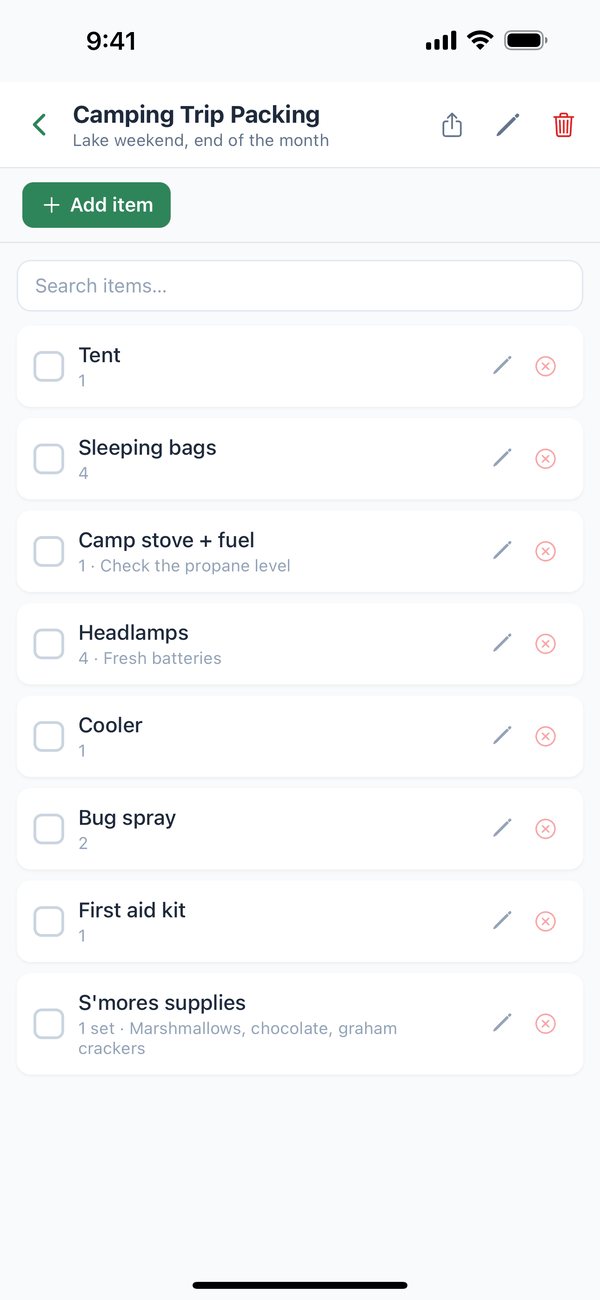
- Tap the share button. It's the first button at the top right. Your phone's share sheet opens with the list as text, including what's checked off, quantities, and notes.
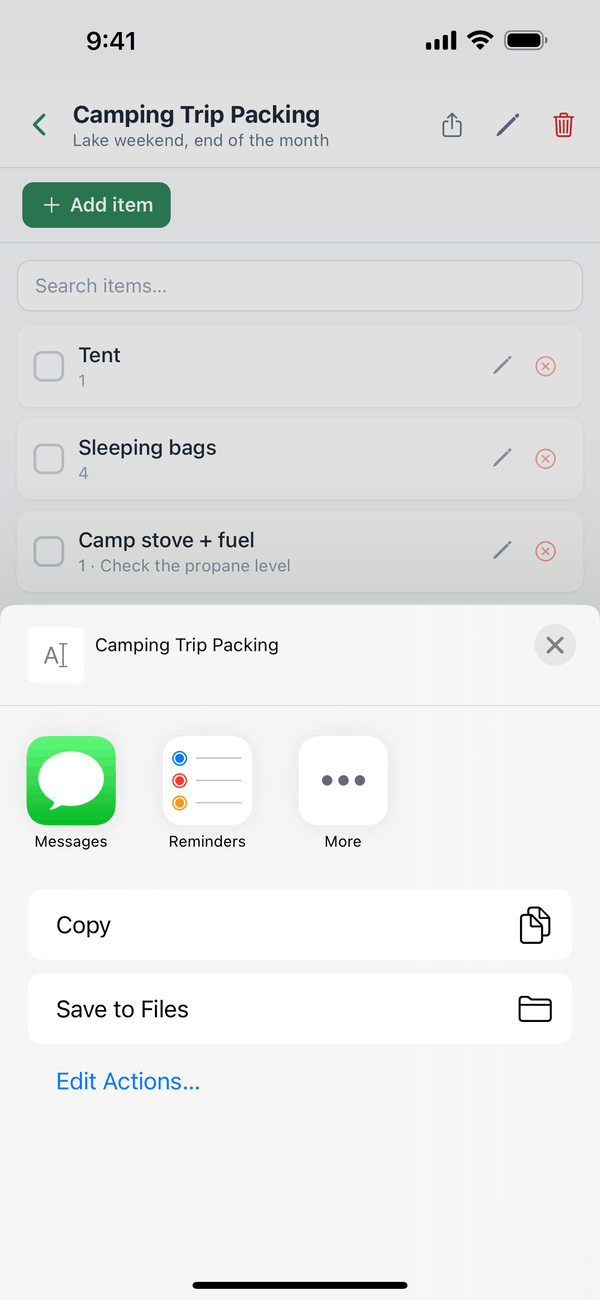
- Pick how to send it. Choose an app like Messages or email, or tap Copy and paste it anywhere.
Tips
- It's a copy. Changes you make later don't update the message you sent. Share again to send the latest version.
- For someone in your home, invite them to your household instead. Then they see the list and every change.
On the web
Open the list at domesio.com and tap Share this list publicly to get a link anyone can open (read-only, no sign-in). Get new link replaces it, and Turn off sharing stops it.
← Back to all guides
Still stuck? Send us feedback